Blog
Insights on AI agents, automation, and software development from the DevPumas team.
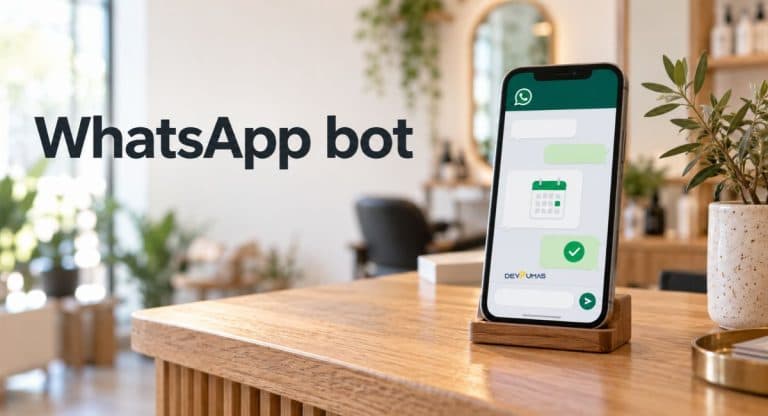
WhatsApp bot: How to Improve Your Appointment Bookings
Introduction You’re busy with a customer when another WhatsApp message arrives: “Do you have any appointments tomorrow?” By the time you reply, they may have booked somewhere else. If keeping up with booking requests feels like a second job, a WhatsApp bot could help take some pressure off. In this guide, you’ll learn how a WhatsApp bot can answer common questions, help customers find available slots, and make booking easier. We’ll explain how it works, which features matter, and how to get started while keeping your conversations friendly and personal. What Is a WhatsApp Bot for Appointment Booking? An appointment chatbot helps customers arrange a visit through messages instead of waiting for a phone call. It can ask which service they need, show available time slots, and collect the details required to book. However, an automatic greeting isn’t a complete booking system. A message saying “We’ll reply soon” doesn’t check your calendar or reserve an appointment. A connected WhatsApp appointment chatbot needs access to your scheduling system to confirm availability and save bookings. How a WhatsApp Bot Can Improve Appointment Bookings When customers ask about availability, they usually want a clear answer without a long exchange. Conversational booking can guide them toward a suitable appointment while you focus on the person in front of you. With an appropriate setup, after-hours booking also lets customers schedule visits when your business is closed. Once someone books, automated booking confirmations give them a record of the service, date, and time. WhatsApp appointment reminders can help customers remember their visit and give them an easy way to request changes. These features may reduce scheduling friction and missed appointments, although results depend on your customers and workflow. Essential Features for Automated Appointment Scheduling Start with accurate availability rather than a long list of impressive features. Your appointment scheduling chatbot should account for service duration, staff schedules, breaks, and any preparation time between visits. Calendar synchronization should keep bookings from different channels aligned. Double-booking prevention also requires the system to check and reserve a slot reliably when the customer confirms. Next, look for clear confirmations and straightforward appointment cancellation or rescheduling. Customers should know whether their request succeeded instead of guessing from a vague reply. Include a human handoff for questions the automation can’t resolve. A customer asking about an unusual service should have a simple route to someone who can help. How the WhatsApp Booking Process Works Imagine a customer messages your barbershop to book a haircut for Friday afternoon. The WhatsApp bot asks which service they want and whether they prefer a particular barber. It then checks the connected calendar and presents suitable options. After the customer chooses a time, the system checks availability again and saves the appointment before confirming it. The booking confirmation should include the service, date, time, and location, plus any important preparation details. If reminders are enabled, the system sends them according to the customer’s consent and applicable messaging rules. Any later time change should update the booking record and produce a fresh confirmation. How to Set Up a WhatsApp Bot for Your Business Before choosing software, write down how your appointments work today. List your services, appointment lengths, opening hours, staff availability, and cancellation rules. Decide which calendar or booking system will hold the confirmed appointments. Also identify common customer inquiries so the booking conversation can answer useful questions without becoming a lengthy questionnaire. Choose a solution that supports the WhatsApp Business Platform and your required scheduling connection. Prepare the booking flow, collect permission for follow-up messages, and arrange approved templates where needed. Outside the 24-hour customer service window, the platform requires approved message templates; that window resets with each customer message. Before launch, test successful bookings, unavailable slots, cancellations, calendar failures, and requests for staff assistance. DevPumas: Planning WhatsApp Booking Automation for Your Business If you need help planning your workflow, you can discuss your requirements with DevPumas. Its WhatsApp automation service lists appointment booking, rescheduling, automated booking flows, and human handoff among its offerings. Start the discussion with the scheduling problem you want to solve. Bring details of your current booking software, services, staff schedules, and common customer questions. Explain who should handle conversations that need personal attention and what should happen if the calendar connection fails. Ask which integrations fit your existing tools and what ongoing support your setup needs. This gives both sides a practical starting point before deciding on features or implementation. Common WhatsApp Booking Mistakes to Avoid One common mistake is asking too many questions before showing useful availability. Request only the information needed to choose and confirm an appointment. Another problem is offering outdated slots or sending confirmation before the booking is saved. Keep your calendar connection reliable and make confirmation messages specific enough for customers to check their details. Also, don’t assume a booking gives you permission to send unrelated promotions. Obtain appropriate customer consent for follow-up messages and respect requests to stop receiving them. Make cancellations easy to find and offer a clear route to staff support. Test the conversation from the customer’s side, including mistakes and unexpected replies, so people don’t get trapped in a repeating menu. WhatsApp for Business How to Measure Your Booking Results Track how many customers start the booking process and how many finish it. Booking completion rate equals completed bookings divided by booking attempts, multiplied by 100. For example, 60 completed appointments from 100 attempts gives you a 60% completion rate. Review where customers leave the conversation to identify unclear questions, unsuitable slots, or technical problems. Compare missed appointments and staff time spent on scheduling before and after launch. Use similar periods and consider changes in demand, opening hours, or promotions when interpreting results. Customer feedback matters too, especially comments about confusing replies or difficult appointment changes. Adjust one part of the workflow at a time so you can see whether it improves the customer experience. FAQs Can customers book appointments through WhatsApp? Yes. A connected booking system can help customers choose

AI Agents for Business Automation: Key Trends for 2026
Introduction It’s frustrating to finish a busy day and realise most of your time went into answering the same questions, updating records, and chasing follow-ups. You know these tasks matter, but they leave little room to grow your business. That’s why AI Agents for Business Automation might have caught your attention, and left you wondering how much work they could actually take off your hands. This guide explains how AI agents work, which everyday business tasks they can help with, and where human oversight still matters. You’ll explore practical examples and key trends shaping their use in 2026. If you’re unsure where to start, you’ll learn how to identify a useful first task for your business. What Are AI Agents for Business Automation? AI agents are software systems that use AI models and tools to work toward a goal. Many rely on large language models to interpret requests, plan actions, and process information. Natural language processing lets you give instructions in everyday language. Connected tools let the system act on those instructions within defined permissions. A basic chatbot might explain how to check an order. An agent could retrieve the order, review delivery information, and prepare a support ticket. Traditional business process automation follows predefined steps, while agentic AI can select its next action based on results. That flexibility still needs boundaries and testing. Key AI Agent Trends Shaping Business Automation in 2026 The practical conversation around AI Agents for Business Automation extends beyond generating useful answers. It includes completing tasks across connected systems and checking whether the results meet business requirements. For you, the important question is what an agent can finish reliably under realistic working conditions. In 2026, AI Agents for Business Automation are evolving beyond simple question-answering tools. They can help businesses complete multi-step tasks, connect different software systems, and verify results against specific requirements. The key is to choose workflows that AI agents can handle accurately, efficiently, and with appropriate human oversight. Several developments help explain this direction: better tool connections, coordinated agents, stronger oversight, and more deliberate evaluation. These ideas existed before 2026 but they remain central to current implementation decisions. When reviewing coverage of AI automation trends, look for working examples and clearly stated limitations behind the headlines. From Answering Questions to Completing Workflows An agent becomes more useful when it can move a request through several permitted steps. For example, it could check stock, retrieve delivery options, and prepare an order update. Tool calling connects the model to specific functions. Workflow orchestration manages the sequence, including checkpoints where a person must approve the next action. Specialized Agents Working Together Multi-agent systems divide suitable work between agents with different roles, such as research, drafting, and review. Each agent needs clear instructions and a reliable way to share relevant findings. Context management helps keep information available during these handoffs. However, additional agents introduce coordination costs, so a simpler workflow may still serve your business better. Deeper Integration With Business Data and Tools Useful AI CRM integration depends on accurate records and carefully limited access. An agent might retrieve customer history through an API before preparing a follow-up. Retrieval-augmented generation supplies relevant material from sources such as internal knowledge bases. It can ground responses in business information, although it doesn’t guarantee that every answer will be correct. Greater Human Oversight and Agent Governance Agent governance defines who owns an agent, what it can access, and when it needs permission. Microsoft’s published governance experience includes human-led workflows in which agents execute tasks and check in as needed. Role-based access control, approval workflows, and audit logs support this approach. You can then review actions and investigate problems rather than relying only on the final response. More Attention to Measurable Business Outcomes A convincing demonstration doesn’t establish that an agent will perform reliably on everyday requests. Anthropic’s agent evaluation guidance emphasises testing outcomes and examining how agents behave across tasks. Track task completion rate alongside output quality, human escalation, and cost per completed task. Together, these measures reveal whether apparent time savings survive the review and correction process. www.anthropic.com Practical AI Agent Use Cases Across Business Departments Customer support offers a clear example of AI Agents for Business Automation in practice. An agent could search approved documentation, check an account, and draft a relevant response. Sales process automation might involve lead qualification or preparing CRM updates. Both workflows need a clear handoff when information is missing or a request exceeds the agent’s authority. Operations teams could use agents to extract invoice details and flag mismatches for review. HR teams might use them to answer onboarding questions and prepare employee checklists. Connections to enterprise resource planning software can provide relevant operational records. These examples depend on available integrations, reliable data, and permissions appropriate to each task. Benefits Businesses Can Expect From AI Agents Well-designed AI Agents for Business Automation can reduce the time people spend gathering information and moving it between systems. Faster handling of routine enquiries may also shorten customer waiting times. For a small team, these improvements could create more capacity for complex requests. The benefit comes from completing useful work with an acceptable level of correction. Agents can also support consistent handling by following shared instructions and consulting approved information. However, consistency should be tested rather than assumed, especially when requests vary. AI agents for small businesses may be most practical within a narrow, repeatable workflow. Compare results with your current process before describing the project as a success. Challenges to Address Before Adopting AI Agents Before adopting AI Agents for Business Automation, consider what happens when the system misunderstands a request. An incorrect response can become more consequential when an agent can also change records or trigger actions. Outdated documents, incomplete customer data, and excessive permissions increase that risk. Define what the agent may do and when it must stop for human review. Data privacy, integration maintenance, and operating costs also deserve attention from the start. A workflow might need several model calls, external tools,

What is artificial intelligence(AI): A Guide to Business Automation 2026
Introduction It’s frustrating to finish a busy day and realise most of your time went into answering the same questions, updating records, or chasing follow-ups. You know these tasks matter, but they leave little room to grow your business. If you’ve been wondering whether Artificial Intelligence could take some of that work off your hands, you’re probably also wondering where to start. This guide explains how AI fits into business automation, with practical examples of the tasks it can help you manage. You’ll learn where it can save time, what needs human attention, and how to choose a useful starting point. The goal is to help you understand your options without getting lost in technical terms. What Is Artificial Intelligence in Business Automation? In business automation, artificial intelligence helps software interpret information, recognise patterns, or generate responses within a process. Machine learning models learn patterns from examples rather than relying entirely on hand-written rules. A practical application might read an incoming customer message and identify whether it concerns a booking, payment, or delivery. Traditional automation follows predefined instructions, such as sending a reminder before an appointment. AI adds flexibility when the input varies, including messages written in different ways. Intelligent process automation can combine these capabilities with fixed rules or robotic process automation, which performs repetitive software actions. Not every step needs AI to work well. How Does AI Business Automation Work? A workflow usually starts with an event, such as a new email, uploaded invoice, or customer enquiry. These events act as workflow triggers. artificial intelligence then handles a defined task, such as classifying the request or drafting a reply. Natural language processing helps systems work with human language, including questions that don't follow a template. API integration connects the workflow to calendars, support software, or customer records. Large language models can interpret text and generate responses within these workflows. AI agents can also select tools and next steps within their permitted scope. Human review checkpoints help control actions that need approval, particularly when the system encounters an unfamiliar situation. anthropic.com Key Benefits of AI for Businesses One practical benefit of artificial intelligence is reducing the attention that repetitive tasks demand from your team. Instead of sorting every incoming enquiry manually, staff could review requests already grouped by topic. Faster routing may shorten response times and help urgent messages reach the right person. The benefit depends on reliable setup and accurate classification. AI business automation can also give employees more time for conversations, planning, and difficult cases. For small businesses, that might mean handling routine enquiries outside normal working hours without checking every notification personally. However, more automated activity doesn't automatically mean better service. Customers still need useful answers and an easy route to someone who can help. Business Tasks You Can Automate with AI The strongest starting points are frequent tasks with clear inputs, expected outputs, and manageable consequences when something goes wrong. artificial intelligence may help interpret messy information within those tasks. For example, a service business could classify enquiries written in everyday language before routing them through a standard booking process. Look closely at what happens before and after each task. A chatbot won't solve slow support if nobody takes ownership of the cases it passes along. Business workflow automation needs clear responsibilities across the whole process. Decide what the software handles, what employees approve, and how customers get help when the automated route fails. Customer Support and AI Chatbots AI chatbots can answer routine questions using your business's approved support information. Conversational AI can help customers ask follow-up questions without navigating a long menu. For example, a shop could offer help with delivery policies and product care. AI customer support automation should also include a clear handover for complaints, unclear requests, and account-specific problems. Lead Qualification and Sales Follow-Ups Automated lead qualification can collect details such as the requested service, budget range, and preferred timeline. The workflow can save this information in your customer relationship management system and flag enquiries matching your criteria. A sales representative can then review the details before contacting the lead. Set follow-up limits so prospects don't receive repetitive or irrelevant messages. Appointment Booking and AI Receptionists AI receptionists can handle booking conversations when connected to accurate service information and a live calendar. A barbershop, for instance, could collect the requested treatment and offer available appointment slots. AI appointment scheduling should confirm that a booking succeeded before telling the customer it's complete. Unusual requests and calendar conflicts need an escalation route. Document Processing and Data Entry Intelligent document processing can extract information from invoices, forms, and other business documents. A workflow might capture an invoice number, supplier name, and total before preparing a record for review. Data quality matters because unclear scans and unfamiliar layouts can produce mistakes. Check extracted amounts against the source before approving payments or changing important records. Marketing Workflows and Reporting Generative AI can help prepare campaign drafts, summarise feedback, and turn reporting data into readable updates. Your team should verify figures and review claims before publishing anything. Predictive analytics serves a different purpose: estimating possible outcomes from historical patterns. Neither generated summaries nor forecasts should replace checking the underlying data and understanding its limits. How to Get Started with AI Business Automation Start by choosing one task that repeatedly slows your team down. Before introducing artificial intelligence, record how often the task occurs, how long it takes, and what commonly goes wrong. Ask the employees doing the work to describe the awkward cases too. Their answers can reveal problems that a simple process diagram misses. Next, test a limited workflow with representative examples and clear success criteria. Choose AI tools for businesses based on their fit with your existing systems, permissions, and support needs. Train the people who will review outputs or handle exceptions. Expand only after the pilot shows useful results under realistic conditions, including incomplete requests and failed connections. Ready-Made AI Tools vs. Custom AI Solutions Ready-made tools are worth considering when your

Android App Development: Build Better Apps for Users in 2026
Introduction You’ve got an app idea, but turning it into something people enjoy using feels like a much bigger task. Where do you start, which features do you need, and how do you avoid spending money on the wrong things? Those questions can leave you stuck before you’ve even begun. This guide to Android App Development walks you through the process, from planning useful features to testing your app before launch. You’ll learn what to consider when choosing tools, setting a budget, and designing an experience that’s easy to use. The goal is to help you turn that idea into a clear, practical plan. What Is Android App Development? Android app development is the process of creating software for devices running Android, including phones and tablets. It involves planning features, designing screens, writing code, and testing how everything works together. The goal is to help someone complete a task comfortably, whether that’s booking an appointment or checking an order. An app usually combines an interface with logic that responds to user actions. Developers use tools such as the Android SDK to work with platform capabilities. Apps that manage shared accounts, bookings, or live information may also need backend development to connect the interface with data and business systems. Start with User Needs and Clear Business Goals Before choosing features, find out what your audience struggles with today. User research might involve customer interviews, support conversations, or watching someone complete an existing process. Ask where they get stuck and what information they need before taking action. A booking app, for example, should make available times easy to find. Turn those findings into a small set of priorities for your minimum viable product, or MVP. This first usable version should solve the main problem without carrying every future feature. Set a measurable goal, such as improving booking completion or reducing abandoned registrations. That gives your team a reason for each feature it builds. Choose the Right Development Approach Native Android app development focuses specifically on the Android platform. It can suit projects that need detailed control over platform behavior or extensive use of device capabilities. However, the decision should reflect your product requirements and the skills available within your team. Start with the experience you need to deliver. Cross-platform mobile app development allows teams to share parts of their code across platforms. That may be useful when your plans include both Android and iOS. Shared code still needs platform-specific testing and sometimes additional native work. Ask your development team to explain the trade-offs using your actual features, especially payments, camera functions, or background activity. Design a Simple and Accessible User Experience Good design helps people understand what to do next without stopping to figure it out. Keep app navigation predictable and use clear labels for important actions. During prototyping, walk through complete journeys such as signing up, placing an order, and correcting a mistake. Keep user onboarding focused on what someone needs to get started. Accessibility belongs in those early decisions. Give interactive elements comfortable touch targets and provide meaningful labels that screen readers can announce. Support readable text and avoid relying on color alone to explain errors or status. Use adaptive layouts to keep controls and content usable as the available screen space changes. Improve App Performance and Reliability Performance deserves attention throughout Android app development because delays can interrupt even a well-designed journey. Measure app startup time and check whether important screens respond promptly. For example, a customer opening an order tracker should reach useful information without waiting for unrelated content. Investigate slow requests, oversized images, and work that blocks interactions. Reliability also means understanding what happens outside your testing environment. Android vitals provides information about issues such as user-perceived crashes, unresponsive behavior, and battery use through Google Play Console. Use those signals to investigate affected devices and prioritize fixes. Check background activity as part of battery optimization so your app doesn’t consume resources unnecessarily. Protect User Data and Build Trust Start by asking what information your app actually needs. A simple appointment tool may need contact details without needing access to someone’s entire address book. Request runtime permissions when the relevant feature requires them and explain their purpose clearly. Think through what happens when someone declines permission instead of leaving them at a dead end. support.google.com User authentication, secure data storage, and protected network connections need attention throughout the project. Keep sensitive information out of logs and avoid placing privileged server credentials inside the app. Your backend must check what each signed-in user is allowed to access. Review third-party services too, especially when API integration involves personal information. Test Your App and Prepare for Google Play Testing should be part of Android app development from the first usable build. Use an Android emulator alongside real devices to check different screen sizes and supported system versions. Include weak connections, interrupted tasks, and repeated actions in your testing plan. Usability testing adds another perspective by showing whether people understand the steps without your help. Before submission, check the current target API level requirements and the release tasks shown in Google Play Console. Prepare accurate privacy information, content declarations, and access instructions for reviewers where needed. Make sure your screenshots and description reflect the app you’re submitting. Leave room in the launch schedule for review questions and any required changes. What Affects Development Costs and Timelines? Android app development cost depends on the work your product requires. A basic information app has a different scope from a marketplace with payments, messaging, and multiple account types. Custom interfaces, backend systems, and external integrations add tasks that need design, implementation, and testing. Clear requirements make estimates more useful because everyone understands what’s included. Ask for a phased estimate covering discovery, design, development, testing, and launch preparation. Discuss recurring expenses such as hosting, external services, and maintenance separately from the initial build. If your budget is tight, reduce the first release’s scope while protecting the main user journey. Agree on how new requests will

App Development Services: Build Apps for Your Business
Introduction You have an app idea for your business, but figuring out where to start feels overwhelming. Which features do you need, how much should you spend, and who can bring your idea to life? Searching for app development services can leave you with more questions when every company seems to offer something different. This guide explains what these services include, how the development process works, and what affects your budget. You’ll learn how to choose useful features and find a development team that understands your business. Whether you want to simplify bookings or sell products, you’ll have a clearer starting point for planning your app. What Are App Development Services? These services cover the work involved in planning, designing, building, testing, and maintaining an application. A project might involve a customer booking tool, an online store, or software your employees use internally. Custom app development starts with your business requirements and turns them into features people can use. App design and development includes both the screens users see and the systems working behind them. Designers organize the user interface (UI) to make actions clear and navigation easy. Developers handle functions such as saving bookings, connecting accounts, and retrieving information through backend development. Check the proposal carefully because maintenance and ongoing improvements may require a separate agreement. How Business Apps Can Support Growth Think about the steps a customer takes to buy from you or book your services. Each unanswered message or confusing form creates an opportunity for them to give up. Business app development can simplify that journey by putting availability, prices, and confirmations in one place. For example, a salon could let customers choose an open appointment without waiting for someone to answer. Well-planned app development services can also address repetitive work behind the counter. A booking system could update staff schedules automatically instead of requiring someone to copy details between messages and a calendar. Set a measurable goal, such as reducing booking administration time, before development begins. An app’s value depends on whether people use it and whether it improves the task. Which Type of App Does Your Business Need? Start with your target audience, their devices, and what they need to do. Native applications built specifically for iOS or Android let teams tailor the experience to that platform. Discuss iOS app development and Android app development if your project relies heavily on particular device capabilities. Ask providers of app development services to explain how each approach would handle your actual requirements. Cross-platform app development offers another approach: Flutter supports multiple platforms from one codebase, while React Native supports Android and iOS development using React. Flutter documentation and React Native documentation explain these capabilities. docs.flutter.dev Your team still needs to test platform differences and assess any specialized integrations. Web application development is another option when users should access the service through a browser without installing an app. Essential Features to Consider for Your App Choose features around the main job your app needs to perform. A booking app might need available dates, service selection, appointment confirmation, and cancellation options. An online store might need product search, a basket, and payment gateways instead. Include user authentication where accounts serve a clear purpose, such as viewing order history or managing private information. Feature prioritization means deciding what users need at launch and what can wait. Push notifications should deliver something useful, such as an appointment reminder, without becoming a stream of unwanted promotions. API integration can connect the app with an existing inventory system or customer database. Also plan clear error messages, readable screens, and accessible controls because these details shape the user experience (UX). The App Development Process: From Idea to Launch Start by documenting the problem, intended users, business requirements, and a clear measure of success. Your team can then create wireframes and interactive prototypes to explore how people will move through the app. Ask potential users to try the main journey before approving the design. If you’re considering MVP development services, define the smallest useful version that lets you test your core idea with customers. During development, agree on milestones and review working features regularly so misunderstandings surface while changes remain manageable. Quality assurance (QA) should check core functions, permissions, error handling, and performance across the devices you intend to support. Include usability testing and allow time for launch preparation, including any applicable App Store and Google Play submission requirements. Before signing off on app development services, confirm who will monitor problems, respond to feedback, and manage updates after release. What Affects App Development Costs and Timelines? The number of screens provides only part of the picture when estimating app development cost. A simple-looking payment flow may involve integrations, account permissions, error recovery, and several rounds of testing. Custom design, offline functionality, and connections to older business systems can also add work. When comparing app development services, request estimates based on the same written requirements so differences are easier to understand. Timelines also depend on how quickly your team supplies content, reviews designs, and answers questions. Ask for a schedule with clear milestones, assumptions, and a process for handling changes. Your budget should account for cloud hosting, third-party tools, and ongoing maintenance alongside the initial build. Confirm what app maintenance and support includes, which costs vary with usage, and how the team will price additional features. How to Choose the Right App Development Partner Look for an application development company that asks useful questions about your customers and everyday operations. Request examples of relevant work and ask what the team actually designed or built. A portfolio screenshot won’t tell you how they handled a difficult integration or confusing user journey. Ask who will manage your project, how you’ll review progress, and how they handle disagreements about scope. Your app development partner should explain technical choices in language you understand and connect recommendations to your goals. Before buying app development services, confirm deliverables, source-code ownership, account access, and documentation in writing. Clarify the responsibilities around third-party

ReactJS Development Services: Build Faster Websites
Introduction You have a clear idea for your web app, but turning it into something people enjoy using can feel overwhelming. You want pages that respond quickly, features that work smoothly, and room to grow without rebuilding everything later. Searching for ReactJS Development Services is often about finding a team that understands those needs and can explain how to meet them. This guide breaks down what these services include, where React fits, and what to consider before choosing a development partner. You’ll learn which factors affect project costs and what questions to ask before getting started. Whether you’re building a new app or improving an existing one, you’ll have a clearer idea of your next step. What Are ReactJS Development Services? React is a JavaScript library for building user interfaces from reusable components. Developers combine elements such as navigation menus, product cards, and booking forms to create interactive pages. React development work turns your designs and requirements into those working interfaces. Depending on your project, front-end development services may cover planning, coding, testing, deployment, and ongoing improvements. Custom React development can also connect your interface with existing business systems. However, confirm what’s included because a front-end proposal may exclude backend development, hosting, or content entry. Why Website Speed Matters for Your Business Imagine choosing an appointment time and waiting for a booking form that seems frozen. You might tap again, refresh the page, or try another business. Your visitors face the same uncertainty when a website responds slowly during an important task. Treat performance as part of the customer experience when setting your project goals. Ask your team to test journeys such as finding a service, submitting an enquiry, and completing checkout. A useful review should show where people wait and what the team can improve. How ReactJS Development Services Help Build Faster Websites React’s component-based architecture gives developers a practical way to organise complex interfaces. Reusable components can make shared features easier to maintain across several pages. However, reusing code doesn’t automatically mean visitors download less JavaScript or experience faster loading. React calculates interface updates before applying the necessary changes to the page. Developers still need to examine expensive rendering work and how frequently updates happen. React performance optimization should begin with measurements rather than assumptions about which part of the site feels slow. Load Less Code with Code Splitting Code splitting separates application code into smaller pieces that can load when needed. For example, a visitor reading your services page may not need a complex reporting dashboard immediately. React’s lazy loading support lets developers defer a component’s code until it first renders. A clear loading indicator helps visitors understand what’s happening while they wait. Keep Interactions Responsive A page can appear quickly yet feel sluggish when someone starts using it. Ask developers to profile interactions such as typing into search or filtering a long product list. Reviewing state management and expensive component updates can reveal avoidable work. For example, changing one form field shouldn’t require costly calculations across unrelated parts of your application. Choose the Right Rendering Approach Client-side rendering builds the interface in the browser, while server-side rendering generates HTML on the server for a request. Static site generation prepares HTML ahead of time for later delivery. React frameworks such as the Next.js framework support different rendering strategies within a project. Choose an approach around each page’s content and interactivity instead of applying one approach everywhere. Key Services to Look for in a React Development Package A useful package connects your business requirements with clear deliverables. ReactJS Development Services should specify which pages, components, and user journeys the team will build. For React web application development, check whether API integration includes loading states, error handling, and testing with realistic data. If you already have a website, ask whether React migration services include reviewing existing functionality and preserving important URLs. Agree on who handles deployment, documentation, and account handover before work begins. React maintenance and support should also explain how the team handles bugs, dependency updates, and future feature requests. Essential Features of a Fast React Website Include image optimization, appropriate browser caching, and mobile responsiveness in your technical brief. Ask developers to size images for their display area and reserve space to prevent distracting layout movement. Website accessibility also deserves explicit checks, including keyboard navigation, visible focus indicators, and clearly labelled form controls. Core Web Vitals help assess three aspects of the visitor experience. Largest Contentful Paint (LCP) measures loading performance, Interaction to Next Paint (INP) measures responsiveness, and Cumulative Layout Shift (CLS) measures visual stability. Review real-user data when available alongside controlled tests to understand how the site behaves outside the development environment. SEO Considerations for React Websites Google can render JavaScript, but rendering failures or blocked resources can prevent important content from appearing as intended. Search engine crawlability depends on accessible pages and discoverable links. Server-side rendering or pre-rendering can make content available in the initial HTML instead of relying entirely on browser execution. Each important page needs a descriptive title, relevant meta description, and consistent canonical URL. Use genuine links with valid destinations and ensure missing pages return appropriate status codes. Check rendered content through Google Search Console rather than assuming a page is ready for indexing because it looks correct in your browser. How to Choose the Right ReactJS Development Company Start with evidence that a React development company understands projects similar to yours. Ask to review a live example and discuss the team’s specific contribution. A polished screenshot tells you little about how forms work, how the site performs on mobile, or how developers solved difficult requirements. Before you hire React developers, ask who will manage communication and how you’ll review progress. Your agreement should explain code ownership, delivery milestones, testing responsibilities, and support after launch. A suitable React development agency should be able to explain technical choices in language you understand. What Affects ReactJS Development Costs and Timelines? The cost of ReactJS Development Services depends on what your website needs