Web Development

ai workflow automation

AI Workflow Automation: The Ultimate Guide for Businesses in 2025

AI workflow automation is transforming the way modern businesses operate by replacing repetitive manual tasks with smart, data-driven processes. Unlike traditional vs AI automation, which relies only on rigid rules, AI uses machine learning in automation, natural language processing (NLP), and computer vision automation to adapt and improve over time. This makes workflows not only faster but also smarter and more reliable. With tools like robotic process automation (RPA) and workflow orchestration, companies achieve greater process efficiency, reduced costs, and improved customer experience. Across industries, intelligent automation is driving digital transformation, making organisations more agile and ready for the future of AI in business operations. What is AI Workflow Automation? AI workflow automation is the use of artificial intelligence to streamline tasks, decisions, and data flows across a company. Unlike simple rule-based workflows, which follow fixed instructions, AI learns from data and adapts to new situations. It brings together tools like robotic process automation (RPA), machine learning in automation, and natural language processing (NLP) to create smarter processes. In the UK, businesses across finance, healthcare, and retail are already moving from traditional vs AI automation. Traditional systems can only follow set rules, but AI workflows can analyse data, spot patterns, and even make predictions. This makes them highly valuable for companies that want faster and error-free results. Why is AI Workflow Automation Important? The importance of AI in business operations lies in how it improves both process efficiency and customer experience. In today’s competitive UK market, time is money. With automation, employees don’t waste hours on manual data entry, approvals, or email sorting. Instead, they focus on creative and strategic work. Another major reason is operational excellence. By linking workflow management systems with AI, organisations can respond quickly to market changes, cut down on costs, and reduce human errors. This helps businesses of all sizes remain competitive during their digital transformation journey. How AI Workflow Automation Works The way AI workflow automation works can be explained through different layers. The first is the data input and integration layer. This collects information from emails, apps, and systems. Next is the workflow orchestration engine, which directs how tasks move from one stage to another. AI then applies predictive analytics in workflows to suggest or automate decisions. Finally, there is the human-in-the-loop interface, which ensures humans can review, approve, or adjust results when needed. A monitoring and feedback loop keeps improving the system over time. This cycle allows workflows to become smarter and more reliable the longer they run. Key Technologies and Features Used in AI Automation At the heart of AI automation are powerful technologies. Machine learning in automation helps systems learn from past actions and predict the next step. Natural language processing (NLP) allows chatbots and systems to understand text or voice commands. Computer vision automation makes it possible to read scanned forms, invoices, or even images. The main features include workflow orchestration, which coordinates tasks between systems, and intelligent document processing, which reads and sorts data. Many companies also use AI-powered chatbots for customer service automation, making it faster to handle queries without needing a large support team. AI Workflow Automation Use Cases The uses of AI workflow automation are growing every year. In healthcare, hospitals in the UK are using intelligent document processing to manage patient records and scan test results. In finance, RPA helps detect fraud and ensures compliance with UK banking rules. Retail companies are improving supply chains with data-driven workflows that track inventory and deliveries in real time. Another major area is government and public services. Councils are experimenting with AI-powered chatbots for citizen services, reducing wait times. These examples show how workflow management systems supported by AI are transforming industries. Benefits of AI Workflow Automation for Businesses The benefits go far beyond cost reduction. Companies gain process efficiency because tasks run faster with fewer mistakes. Decision-making also improves when AI provides predictive analytics in workflows and insights from large data sets. A key advantage in the UK market is automation scalability. Businesses can start small and then expand workflows across departments as they grow. This flexibility ensures organisations can stay competitive while also saving money in the long run. Different Types of AI Workflow Automation There are several forms of AI workflow automation. The first is rule-based workflows, which follow strict conditions and are often used for simple approvals or document checks. The second is adaptive workflows, where AI learns and adjusts tasks based on outcomes and data trends. Another type is industry-specific solutions. For instance, banks rely heavily on intelligent automation for fraud detection, while healthcare organisations use computer vision automation to analyse scans. By understanding these types, businesses can choose the right path for their needs. Challenges of Implementing AI Workflow Automation Even with its advantages, there are hurdles in adopting AI workflow automation. Data privacy and GDPR compliance remain major issues in the UK. Companies must protect sensitive data while still using it for automation. Cost is another barrier. While large firms can afford advanced systems, smaller businesses find investment harder. Training the workforce to adapt to enterprise automation tools and changing long-standing habits also slows down adoption. How to Choose the Right AI Workflow Automation Tool Choosing the right tool requires a careful look at business needs. Companies must consider workflow orchestration, scalability, pricing, and security. The right tool should easily connect with existing systems and provide a smooth human-in-the-loop interface. Popular options include UiPath, Zapier AI, and Microsoft Power Automate. UK-based firms should also check for local compliance support and integrations with tools they already use. Comparing enterprise automation tools helps businesses avoid costly mistakes. The Future of AI Workflow Automation The future looks bright for AI workflow automation. Over the next decade, adaptive workflows powered by machine learning in automation will become more common. Businesses will depend on AI-powered chatbots, intelligent document processing, and smart assistants to handle both back-office and front-end operations. In the UK, industries are expected to embrace automation scalability as a way to cut

AI Workflow Automation: The Ultimate Guide for Businesses in 2025 Read More »

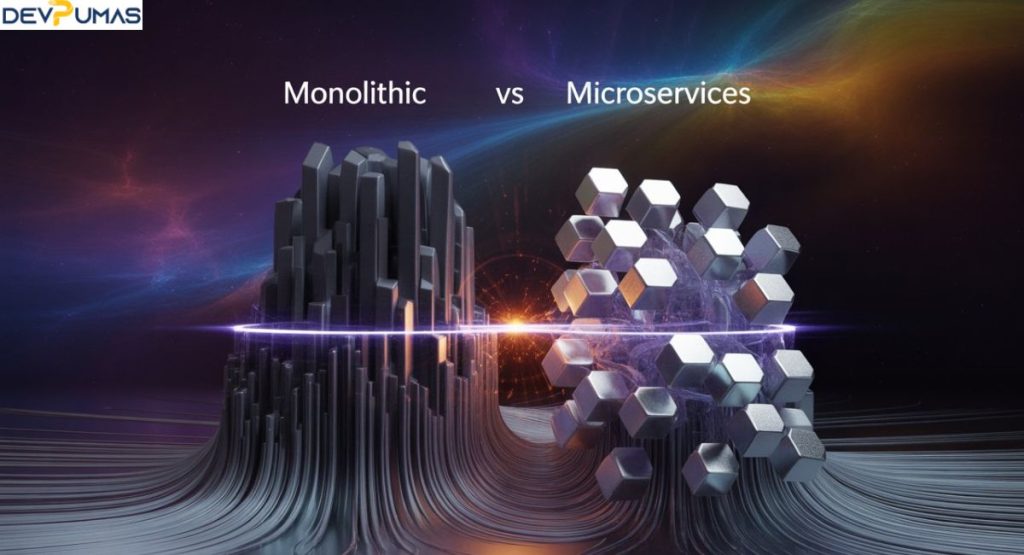
Monolithic vs Microservices

Monolithic vs Microservices: Which Architecture Fits Your Business?

Introduction Monolithic vs Microservices architectures are two of the most discussed approaches in modern software development. Understanding what is monolithic architecture and how microservices work is crucial for businesses planning scalable applications. A monolithic system combines all components into a single, unified platform, making it easier to develop initially but harder to scale. On the other hand, microservices architecture divides an application into smaller, independent services, allowing faster deployments, better fault isolation, and improved scalability. Choosing the right architecture impacts development speed, system performance, and long-term maintenance costs. This guide explores the benefits of microservices, pros and cons of monolithic systems, and how businesses decide the best fit. What is Monolithic Architecture? A monolithic application is built as a single, indivisible unit. It relies on a centralized code repository and a unified deployment model, which makes development straightforward. All functions of the software are tightly coupled, meaning changes in one part often require redeploying the entire system. This structure supports end-to-end testing and is easy for smaller teams to manage. Companies with simple apps, startups, or businesses that prioritize speed over flexibility often benefit from single codebase architecture. However, monolithic architectures can face application scalability issues as traffic grows. Redeployment challenges become significant when making small updates, and modernization of legacy systems can be costly. Businesses planning a cloud migration strategy may find monolithic systems harder to adapt, though they still support Agile development and DevOps integration in some cases. The architecture is suitable when teams need continuous integration (CI/CD) but want a simpler deployment pipeline. Key Features of Monolithic Apps Monolithic apps rely on a centralized code repository and unified deployment model. They use end-to-end testing to ensure all features work together. The architecture encourages a consistent organizational culture shift and supports simple Agile development practices. Businesses often benefit from predictable development velocity, especially when service ownership is concentrated. Feature Description Single codebase architecture All modules exist in one repository Unified deployment model Deployment of entire application at once End-to-end testing Ensures system-wide consistency DevOps integration Supports CI/CD pipelines Pros and Cons of Monolithic Architecture Advantages and disadvantages of monolithic applications depend on business size and goals. Pros include easier setup, simpler testing, and fewer inter-service dependencies. Cons are application scalability issues, redeployment challenges, and difficulties in legacy systems modernization. Monoliths work best for smaller teams or apps with stable requirements, but scaling them for complex modern needs can be restrictive. What are Microservices? Microservices explained with examples shows a modular approach where applications are split into small, independent services. Each service has its own deployment pipeline, can scale individually, and communicates via APIs. This enables distributed systems, service decomposition, and better API performance. Microservices also promote organizational culture shift by assigning service ownership to smaller, specialized teams. Companies often move from monolithic to microservices for better development velocity and Agile and DevOps with microservices. Netflix, for example, migrated using How Netflix migrated to microservices, while Atlassian’s Vertigo project illustrates Atlassian microservices case study. Microservices are ideal for businesses aiming for cloud-based microservices vs on-prem monolith flexibility, CI/CD pipelines in microservices deployment, and faster iteration cycles. Key Features of Microservices Microservices support service decomposition, stateless architecture, and multi-tenant systems. They facilitate automation and AI workflows, and allow companies to use tools for microservices migration and monitoring. Unlike monoliths, services can be updated independently without affecting the whole system. This approach is also beneficial for projects in ChatGPT, scheduled tasks, and complex AI assistant implementations. Pros and Cons of Microservices Pros: Microservices offer scalability, resilience, and faster development velocity. They are ideal for businesses adopting Agile development and CI/CD pipelines in microservices deployment. Cons: Challenges include microservices debugging and monitoring challenges, service sprawl and microservices complexity, and higher infrastructure migration costs. Understanding microservices infrastructure costs vs monolithic costs helps businesses balance investment and performance.  Key Differences Between Monolithic vs Microservices The differences between monolithic vs microservices architectures are significant. Monoliths use single codebase architecture, while microservices rely on service decomposition. Monolithic apps are easier to deploy but harder to scale, whereas microservices are flexible but require robust monitoring tools. The table below summarizes key differences: Aspect Monolithic Microservices Codebase Single Multiple services Deployment Unified Independent Scalability Limited Highly scalable Maintenance Challenging Easier for small services Testing End-to-end testing Service-level testing Performance and Scalability: Monolith vs Microservices Monolithic systems often face application scalability issues because the entire app must be scaled, leading to inefficiencies. Microservices provide stateless architecture and distributed systems that allow each service to scale independently. Businesses adopting microservices experience improved API performance and faster development velocity, which is critical for high-traffic applications. Cost Considerations: Which is More Affordable in the Long Run? Initially, monolithic systems are cheaper because of simpler deployment and fewer infrastructure needs. However, as apps grow, redeployment challenges and legacy systems modernization increase costs. Microservices require higher upfront investment in infrastructure migration but reduce long-term costs through modular updates and independent scaling. Balancing speed and reliability in microservices adoption ensures ROI. Security, Reliability, and Maintenance Factors Monolithic apps are easier to secure because everything is centralized, but any failure can impact the whole system. Microservices enhance service ownership and Agile and DevOps with microservices, improving reliability. Yet, they require careful debugging complexity management and monitoring tools. Understanding common challenges in microservices adoption helps businesses mitigate risks. Monolithic vs Microservices: Which Architecture Fits Your Business Needs? Monolithic vs Microservices architectures are essential considerations for businesses building modern applications. Understanding what is monolithic architecture and how microservices work helps companies choose the right approach for scalability, maintenance, and development speed. A monolithic system combines all components into a single platform, making it simpler initially but harder to update or scale. In contrast, microservices architecture breaks applications into smaller, independent services, enabling faster deployments, better fault isolation, and improved system performance. This comparison explores the benefits of microservices, pros and cons of monolithic systems, and guides businesses on choosing the architecture that fits their needs. Future of Monolithics/Microservices The future favors cloud-based microservices vs on-prem monolith solutions.

Monolithic vs Microservices: Which Architecture Fits Your Business? Read More »

Custom GPTs

How to Create and Use Custom GPTs: Complete Beginner’s Guide

Custom GPTs are transforming the way people and businesses use AI-powered workflows. Unlike regular chatbots, a custom AI chatbot built with the GPT builder allows you to design unique experiences, automate tasks, and integrate with tools for business workflow automation. With features like knowledge files upload, natural language customization, and ready-made chatbot templates, you can easily create a custom AI chatbot without code. These AI orchestration tools are ideal for AI for customer support, ecommerce chatbot solutions, or AI chat for lead generation. As enterprise AI adoption grows, custom GPTs are becoming the backbone of AI integration with apps and smarter AI-powered system automation. What Are Custom GPTs? To put it simply, custom GPTs are versions of ChatGPT that you can configure to act in a certain way. Instead of using the general model, you create your own by adding specific instructions, rules, or knowledge files uploaded to guide responses. This makes it possible to build a custom AI chatbot that knows your business style, follows your rules, and delivers information the way you want. Unlike a standard ChatGPT, a custom GPT is designed for a particular workflow or industry use case. For example, you might design an AI chatbot for ecommerce, another AI for customer support, or a lead generation with an AI chatbot solution. The power lies in how you can control the personality, tone, and depth of answers. Why Build a Custom GPT? Many businesses and individuals choose to build custom AI chatbots and agents because they want more personalization than a standard model provides. A company, for instance, may need a chatbot that understands its business workflow automation rules, while a freelancer might need one for content generation that matches their style. The benefit goes beyond personalization. By creating AI-powered workflows across systems, organizations save time, reduce repetitive tasks, and increase accuracy. Whether it is customer service, e-commerce, or internal processes, AI orchestration tools allow you to scale with efficiency. Advantages of Custom GPTs Over Regular ChatGPT The key advantages of custom GPTs lie in control, performance, and efficiency. With regular ChatGPT, you get general answers, but with configure and customize GPTs, you can shape how the system thinks and responds. This is critical when you want it to act like a digital coworker rather than a generic assistant. Another major benefit is AI integration with apps. A custom GPT can connect with tools like Zapier chatbots, Notion, or Slack to manage AI-powered workflows. This makes them ideal for enterprise AI adoption, where automation and collaboration across platforms are essential. Feature Regular ChatGPT Custom GPTs Personalization Limited Full customization Workflow automation Basic Advanced with AI orchestration platform Knowledge integration General internet knowledge Allows upload knowledge source files in GPTs Business use General conversations Targeted AI-powered workflows across systems How to Create a Custom GPT (Step-by-Step Guide) The process of how to create a custom GPT is simpler than most think. Using OpenAI’s GPT builder, you can follow a step-by-step guide to build GPTs. First, you define the purpose and style. Next, you add instructions, such as tone of voice, writing style, or company policies. After that, you may upload documents, rules, or data that the bot should use as a knowledge base. The great part is you don’t need to be a programmer. You can create a custom AI chatbot without code by following prompts in the builder. Once the setup is complete, your GPT is ready to use. This makes the technology accessible for teachers, marketers, entrepreneurs, and even small businesses that want smart AI support. How to Edit and Update Your Custom GPT After building one, you’ll often want to improve it. That’s where learning how to edit your custom GPT becomes essential. You can revisit your setup, adjust rules, and refine knowledge sources whenever needed. For example, if your chatbot struggles with customer queries, you can retrain it with more examples. Updating also allows your GPT to keep pace with real-world changes. Businesses often adjust FAQs, workflows, or pricing models. By applying changes through the builder, your chatbot always remains aligned with company goals. This makes it an evolving digital partner rather than a static tool. Practical Use Cases of Custom GPTs Real-world applications of custom GPTs are broad. Companies use them in AI orchestration platforms for everything from AI for customer support to AI chat for lead generation. Educational institutes employ them for tutoring, while agencies automate marketing research. For example, a healthcare provider can deploy a no-code AI chatbot to answer patient FAQs. At the same time, a retail business may launch an ecommerce chatbot to recommend products based on uploaded knowledge. These practical uses show the flexibility of AI-powered workflows across industries. Examples of Custom GPTs in Action Consider the case of an online fashion brand. They built a custom AI chatbot that could respond to queries about sizes, returns, and promotions. It not only saved hours of manual work but also boosted customer satisfaction. Another example is a digital marketing agency. They used AI chat for lead generation by creating a GPT that engaged website visitors, captured emails, and transferred data into a CRM via Zapier chatbots. This integration created a powerful AI-powered system automation loop that fueled growth. Integrating Custom GPTs With Other Tools One of the strongest features of custom GPTs is AI integration with apps. You can connect your GPT to tools like Slack, Trello, HubSpot, or Notion to extend functionality. These integrations turn AI from a simple chatbot into a full AI orchestration tool. For instance, connecting to Zapier lets your chatbot move customer queries directly into project management apps or email systems. This kind of business workflow automation reduces manual steps and ensures teams remain focused on critical tasks. Challenges and Limitations of Custom GPTs Despite the benefits, there are challenges. Data privacy is a major concern when handling sensitive information. Users must also watch for biases in training, since poor instructions can result in errors. Another issue is complexity. While you can

How to Create and Use Custom GPTs: Complete Beginner’s Guide Read More »

SaaS Platform & Web Application Development: A Complete Guide for 2025

SaaS Platform & Web Application Development has transformed how modern businesses create and deliver software. In 2025, companies are moving away from traditional methods and adopting cloud-based architecture for greater SaaS scalability, cost efficiency, and performance scaling. With subscription-based models and automatic updates, businesses can offer user-friendly web applications that are accessible from any device. Features like real-time collaboration, secure cloud storage, and SaaS customization make it possible to build powerful apps without heavy infrastructure costs. Whether through no-code platforms, low-code platforms, or advanced AI-driven tools for web development, SaaS empowers organizations to innovate faster, reduce complexity, and deliver seamless SaaS workflow automation worldwide. What is SaaS Platform Development? SaaS Platform Development is the process of building software that is delivered over the internet rather than installed locally. These platforms use multi-tenancy architecture to serve many users at once, while still keeping each customer’s data safe. Popular examples in the USA include Salesforce for customer relationship management (CRM), Shopify for e-commerce integration, and Canva for design prototyping. These platforms work on cloud hosting for SaaS with secure cloud storage so businesses can run operations without heavy IT maintenance. They also support SaaS customization so companies can add features, integrate third-party tools, and adjust workflows for their needs. This flexibility, combined with SaaS extensibility, makes them the preferred choice for modern enterprises. How Does SaaS Web Application Development Work? The development process starts with planning the SaaS design workflow and defining features. Then developers choose the right tech stack, which often includes no-code platforms, low-code platforms, or even serverless architecture for effortless deployment. The app is designed to be user-friendly web applications so anyone can use it without complex training. A typical workflow includes concept creation, design prototyping, development, testing, and launch. After deployment, the software receives automatic updates through the cloud, ensuring bug detection automation and performance scaling happen without downtime. Here’s a simple process table: Step Description Planning Define features and target audience Design Create UI/UX with pre-built templates Development Code using automated code generation tools Testing Ensure security and resource optimization Launch Go live on cloud hosting for SaaS Scaling Improve SaaS scalability over time Key Benefits of SaaS for Businesses SaaS offers cost efficiency because there’s no need to buy expensive hardware. Businesses get infrastructure cost reduction and can focus more on growth. With secure cloud storage and SaaS workflow automation, tasks are completed faster and teams enjoy better team collaboration in SaaS. Another major advantage is that SaaS is accessible from any device, making it perfect for remote teams. Real-time collaboration and SaaS collaboration tools help employees work together no matter where they are. This is why more USA businesses are adopting SaaS pricing plans that match their needs and budgets. SaaS vs Traditional Software Development In traditional software, you install and update programs manually. This requires more time, money, and technical resources. In contrast, SaaS uses remote servers and cloud storage for web apps to deliver automatic updates and effortless deployment. Businesses enjoy SaaS customization and SaaS integration APIs without worrying about downtime. Here’s a comparison table: Feature SaaS Traditional Software Installation None (runs in the cloud) Manual installation required Updates Automatic updates Manual patches Accessibility Accessible from any device Limited to installed devices Scalability SaaS scalability Requires hardware upgrades Cost Subscription-based model One-time purchase + maintenance How Much Does SaaS Development Cost? The cost of building a SaaS platform depends on complexity, features, and design. Small apps with drag-and-drop website builder functions and pre-built templates may cost $15,000–$30,000. Large enterprise solutions with AI-driven tools for web development, SaaS 3D designs, and personalized content may cost $100,000 or more in the USA. Costs also include ongoing expenses like content publishing tools, bug detection automation, and performance scaling. Since SaaS follows a subscription-based model, businesses can predict expenses better compared to unpredictable maintenance bills in traditional software. Best Practices for SaaS Platform Development A strong SaaS platform starts with a clear focus on user-friendly web applications. Developers should use design prototyping to visualize features early and choose serverless architecture or low-code platforms for effortless deployment. This approach ensures better resource optimization and cost efficiency. It’s also important to implement SaaS workflow automation and team collaboration in SaaS features. For USA-based companies, compliance with industry regulations like HIPAA or GDPR is essential, especially for secure cloud storage and sensitive data handling. Industry-Specific SaaS Solutions SaaS is used differently across industries. In healthcare, platforms need secure cloud storage for patient data. In e-commerce, e-commerce integration with payment gateways and inventory management is critical. In design and creative industries, SaaS 3D designs and personalized content are key selling points. Finance companies rely on SaaS integration APIs for banking systems, while education platforms focus on content publishing tools and real-time collaboration for remote learning. Each industry requires tailored SaaS customization to meet its specific needs. Choosing the Right SaaS Development Partner Finding the right partner means looking for experience in cloud-based architecture and multi-tenancy architecture. A good partner understands SaaS scalability, SaaS extensibility, and AI-driven tools for web development to keep your platform ahead of the competition. In the USA, many companies choose local partners for faster communication, but offshore teams can offer lower prices. Whichever you choose, ensure they provide performance scaling, secure cloud storage, and post-launch support with automatic updates. The Future of SaaS in 2025 and Beyond By 2025, SaaS will include deeper AI-driven tools for web development, better SaaS collaboration tools, and advanced SaaS design workflow systems. The use of no-code platforms and low-code platforms will make development faster, while serverless architecture will further cut infrastructure cost reduction. We will also see more personalized content, SaaS 3D designs, and SaaS pricing plans that adapt to user behavior. This future will make user-friendly web applications even more accessible from any device and easier to maintain. Is SaaS Web Development Right for Your Business? SaaS is a smart choice if your business values cost efficiency, automatic updates, and real-time collaboration. It is perfect for companies with remote

SaaS Platform & Web Application Development: A Complete Guide for 2025 Read More »

5 Python Libraries That Supercharge Your Coding

Intoduction: Python is one of the most versatile programming languages, and its power comes from its vast ecosystem of libraries. If you want to supercharge your coding, mastering the right Python libraries is essential. In this article, we’ll explore five Python libraries that supercharge your coding—NumPy, Pandas, Matplotlib, Scikit-learn, and Requests. These libraries streamline complex tasks, enhance productivity, and are widely used in data science, machine learning, and web development. Whether you’re a beginner or an experienced developer, leveraging these Python libraries that supercharge your coding will help you write cleaner, faster, and more efficient code. Let’s dive in! 1. NumPy: Supercharge Numerical Computing in Python  NumPy (Numerical Python) is a foundational library for numerical computing in Python. It provides support for large, multi-dimensional arrays and matrices, along with a collection of mathematical functions to operate on them. As the fundamental package for scientific computing in Python, NumPy’s powerful array processing capabilities enable high-performance operations that form the backbone of many data science and machine learning applications.  Why Use NumPy? Efficient Array Operations: NumPy’s ndarray is faster than Python lists for numerical computations. Broad Mathematical Functions: Supports linear algebra, Fourier transforms, and random number generation. Interoperability: Works seamlessly with other Python libraries that supercharge your coding, like Pandas and Scikit-learn. Key Features Vectorized Operations: Eliminates loops for faster computations, boosting performance significantly. Broadcasting: Enables arithmetic between differently shaped arrays seamlessly. Memory Efficiency: Optimizes storage for handling large datasets effectively.   2. Pandas: Supercharge Data Manipulation & Analysis  Pandas is a powerful open-source library for data manipulation and analysis built specifically for Python. It introduces two key data structures: DataFrames (for tabular data) and Series (for one-dimensional data), which provide flexible and efficient ways to handle structured datasets. Developed by Wes McKinney in 2008, Pandas has become the gold standard for data wrangling in Python due to its intuitive syntax and rich functionality. The library excels at handling missing data, time series operations, and database-style joining/merging of datasets. With its seamless integration with other Python data science libraries, Pandas serves as the fundamental tool for data cleaning, transformation, and analysis across numerous industries and research fields  Why Use Pandas?  Handles Large Datasets: Efficiently processes structured data with optimized algorithms for fast operations on millions of rows. Data Cleaning & Transformation: Simplifies handling missing data, filtering outliers, and grouping records with intuitive method chaining. Integration: Works seamlessly with other essential Python libraries that supercharge your coding, including NumPy for calculations and Matplotlib for visualization. Key Features DataFrame Operations: Simplifies data manipulation with intuitive indexing, merging, and reshaping capabilities. Time Series Support: Offers specialized functions for efficient date-time data handling and analysis. I/O Tools: Provides seamless reading and writing of CSV, Excel, SQL, and JSON file formats. 3. Matplotlib: Supercharge Data Visualization   Matplotlib is the go-to library for creating static, interactive, and animated visualizations in Python. As one of the most comprehensive and widely-used plotting libraries, it provides MATLAB-like interfaces and object-oriented APIs for embedding plots into applications. With its extensive customization options, Matplotlib enables users to generate high-quality 2D and basic 3D graphs for scientific computing and data analysis. Its tight integration with NumPy and Pandas makes it particularly powerful for visualizing array-based and tabular data. Whether you need simple line charts or complex statistical visualizations, Matplotlib offers the flexibility to create publication-ready figures for both exploratory analysis and presentation purposes. Why Use Matplotlib? Highly Customizable: Supports line plots, bar charts, histograms, and more with extensive styling and formatting options. Publication-Quality Graphs: Export visuals in multiple formats (PNG, PDF, SVG) with precise DPI and resolution control. Works with Pandas & NumPy: Perfect for visualizing data from other Python libraries that supercharge your coding workflows. Key Features Pyplot Interface: Simple syntax for quick plotting with MATLAB-style command functions and intuitive parameters. Subplots & Layouts: Create complex multi-panel figures using flexible grid arrangements and precise spacing controls. Styling Options: Customize colors, fonts, and annotations with extensive theme support and property customization. 4. Scikit-learn: Supercharge Machine Learning Scikit-learn is the leading library for machine learning in Python, offering simple and efficient tools for predictive data analysis. Built on NumPy, SciPy, and Matplotlib, it provides a consistent API for implementing various machine learning algorithms with minimal code. The library covers all essential ML tasks including classification, regression, clustering, and dimensionality reduction. With its extensive documentation and active community, Scikit-learn is ideal for both beginners and experts working on real-world data science projects. Its emphasis on code simplicity and performance makes it a go-to choice for developing production-ready machine learning models. Why Use Scikit-learn? User-Friendly API: Easy to implement ML models with consistent syntax and well-organized documentation for beginners. Comprehensive Algorithms: Includes regression, classification, clustering, and more advanced techniques like ensemble methods and SVMs. Integration: Works seamlessly with NumPy, Pandas, and other Python libraries that supercharge your coding efficiency. Key Features Model Training & Evaluation: Built-in functions for splitting data, cross-validation, and comprehensive performance metrics calculation. Preprocessing Tools: Powerful scaling, encoding, and feature extraction methods to prepare datasets for machine learning. Pipeline Support: Streamlines ML workflows by chaining preprocessing and modeling steps into single executable objects.   5. Requests: Supercharge HTTP Requests in Python Requests is a simple yet powerful library for making HTTP requests in Python that has become the de facto standard for web interactions. Designed with a focus on human-friendly syntax, it abstracts away the complexities of working with HTTP while providing full control when needed. The library handles everything from simple GET requests to complex API interactions with authentication and sessions. With its intuitive design and robust feature set, Requests makes working with web services and APIs in Python remarkably straightforward and efficient. Why Use Requests? Simplifies API Interaction: Easily fetch and send JSON/XML data over the web with clean, logical method calls. User-Friendly Syntax: More intuitive than Python’s built-in urllib with beautifully simple request/response interfaces. Session Handling: Supports persistent cookies, custom headers, and various authentication methods out-of-the-box.   Key Features  GET & POST Requests: Retrieve and send data effortlessly with

5 Python Libraries That Supercharge Your Coding Read More »

Best Android Frameworks for App Development in 2025

Introduction: Android continues to dominate the global mobile market, making efficient and scalable app development more crucial than ever. As businesses and developers seek to create high-performance Android applications, choosing the right Android app development framework is essential. The right framework can significantly impact development speed, app performance, scalability, and user experience. In this article, we’ll explore the best Android frameworks for app development in 2025, providing a detailed comparison of six to seven top frameworks. We’ll analyze their features, advantages, and real-world usage statistics to determine which frameworks are the most widely adopted and which are less popular. This guide will help Android developers, startups, and enterprises select the best framework for their projects based on their specific needs, such as cross-platform compatibility, native performance, UI/UX flexibility, and development efficiency. Whether you’re looking for the best framework for Android app development or want to stay ahead of the latest industry trends, this article will provide the insights you need to make an informed decision. Let’s dive into the top Android development frameworks for 2025 and see which one best suits your app development needs Overview of Android Frameworks Android frameworks are key tools for developers. They provide ready-made components, templates, and structures. This makes app development easier. They support the creation of native, hybrid, and web apps, making it easier to manage and modify code. Here are some of the key frameworks: Flutter React Native Ionic Xamarin (.NET MAUI) Apache Cordova NativeScript Framework 7    Detailed Frameworks Overview 1. Flutter Overview: Flutter, developed by Google, is a powerful open-source UI framework designed for building high-performance, cross-platform applications from a single codebase. It enables developers to create native Android, iOS, web, and desktop apps with a smooth and consistent user experience. Flutter uses the Dart programming language, which ensures fast execution and scalability. With its hot reload feature, developers can instantly see changes in real-time, making the development process more efficient and seamless. Features: Hot Reload: See changes immediately without restarting the app. Rich Widget Library: Offers a wide range of customizable UI widgets. High Performance: Compiles directly to native code, ensuring optimal speed and efficiency. Flutter is the top choice for Android app development, holding around 42% of the market share due to its flexibility, performance, and developer-friendly tools. 2. React Native Overview: React Native, developed by Facebook (Meta), is a widely used open-source mobile app development framework that allows developers to build cross-platform applications with a single JavaScript and React-based codebase. It enables the creation of native-like mobile apps for both Android and iOS, delivering smooth performance and a responsive user interface. By leveraging React Native, developers can reuse code, reduce development time, and ensure cost-effective mobile app development without compromising on quality. Features: Reusable Components: Write once, deploy on both Android and iOS, reducing development effort. Vast Ecosystem: Access to a rich library of third-party plugins and a large developer community. Live Reloading: Instantly view real-time changes, enhancing development speed and productivity. Usage:React Native is the second most popular Android app development framework, holding approximately 38% of the market share. Its combination of efficiency, flexibility, and strong community support makes it a top choice for startups and enterprises alike. 3. Ionic Overview: Ionic is an open-source framework designed for building hybrid mobile apps using HTML, CSS, and JavaScript. Powered by Angular and Apache Cordova, Ionic allows developers to create cross-platform applications for iOS, Android, and Windows from a single codebase. The framework offers powerful UI components and tools that help developers build visually appealing and highly functional mobile applications with ease. Its integration with Angular enhances scalability and performance, making it a top choice for building mobile apps with web technologies. Features: Cross-Platform Development: Create apps for multiple platforms, including iOS, Android, and Windows, using a single codebase. UI Components: Access a range of intuitive, pre-built UI components like navigation menus, buttons, and list views. Strong Community Support: Backed by a large community, extensive documentation, and active development for continuous improvement. Usage:Ionic holds about 16% of the market share in the mobile app development space. Its cross-platform compatibility, ease of use, and robust features make it a popular choice for hybrid app development, particularly among developers familiar with web technologies like HTML and JavaScript.   4. Xamarin (.NET MAUI) Overview: Xamarin, a Microsoft-owned framework, empowers developers to create cross-platform mobile applications using C# and the .NET framework. As Xamarin evolves into .NET MAUI (Multi-platform App UI), it expands its capabilities to support even more platforms and offers improved performance. Xamarin allows developers to write a single codebase for Android, iOS, and Windows, ensuring consistent user experiences across devices. .NET MAUI provides a more robust and scalable approach to building native mobile apps that leverage the full potential of the .NET ecosystem. Features: Cross-Platform Development: Build apps for iOS, Android, and Windows using a single C# codebase. Native Performance: Achieve native-like performance on each platform, ensuring a seamless user experience. Shared Codebase: Share business logic and UI code across multiple platforms, reducing development time and effort. Usage:Xamarin holds approximately 11% of the market share in mobile app development. With the transition to .NET MAUI, it has strengthened its position as a top framework for building high-performance, cross-platform applications. Its tight integration with the .NET ecosystem makes it an excellent choice for enterprises and developers invested in Microsoft technologies. 5. Apache Cordova Overview: Apache Cordova is an open-source framework that allows developers to build hybrid mobile applications using standard web technologies like HTML, CSS, and JavaScript. By providing access to native device APIs via an extensive plugin architecture, Cordova enables developers to integrate native device features such as camera, GPS, and storage into their mobile apps. This makes it an ideal solution for creating cross-platform apps that work seamlessly across iOS, Android, and Windows with minimal development effort. Apache Cordova provides flexibility and scalability for developers who prefer to work with web technologies while targeting multiple platforms. Features: Cross-Platform Development: Easily build apps for iOS, Android, and Windows from a single codebase using

Best Android Frameworks for App Development in 2025 Read More »

The Future of API Development: GraphQL vs REST in 2025

Introduction:  API development is evolving at a rapid pace, and as we approach 2025, the methods and architectures used to build APIs are undergoing significant transformations. The debate between GraphQL and REST is at the forefront, shaping the way developers design, implement, and interconnect applications. With the constant evolution of technology and the increasing demand for flexible, efficient, and secure data access, businesses and developers are now compelled to re-evaluate their choices when it comes to API architecture. REST has long been considered the gold standard in API design due to its simplicity, scalability, and widespread adoption over many years. However, GraphQL is rapidly emerging as a strong contender by offering more tailored responses, reducing data over-fetching, and streamlining client-server communication. Its growing ecosystem and robust community support are accelerating its adoption, positioning GraphQL as a transformative force in modern API development. In this article, we delve into the strengths and weaknesses of both GraphQL and REST in 2025, analyzing their performance, adoption trends, and security challenges. We will also provide insights into their future outlook, helping developers and businesses make informed decisions in a rapidly changing digital landscape. Understanding REST APIs What is REST REST is a popular architectural style used for API development. It uses a stateless client-server model and relies on standard HTTP methods like GET, POST, PUT, and DELETE. REST APIs focus on resources, each having a unique URL, and responses are usually in JSON or XML format. Additionally, REST promotes scalability and reliability through its stateless interactions, enabling servers to handle numerous requests efficiently. It also supports caching mechanisms that can improve performance by reducing unnecessary server load. Moreover, its simplicity and adherence to web standards have made REST a widely adopted choice for both small-scale and enterprise-level applications. Advantages of REST APIs   Scalability REST APIs are simple to use. They follow standard HTTP methods like GET, POST, PUT, and DELETE. Developers can quickly build and connect RESTful APIs without needing to learn new query languages or complicated structures. Scalability REST APIs are designed to handle a large number of requests efficiently. Servers use a stateless architecture, meaning they don’t store client session info, which makes it easier to scale applications horizontally. Cacheability REST APIs allow responses to be cached, which helps improve performance and reduces server load. Caching is particularly beneficial for reducing latency in high-traffic applications. Limitations of REST APIs   Over-fetching and under-fetching Clients may receive too much data or miss key information in one request, leading to inefficiencies. This imbalance forces clients to filter out unnecessary information or make additional requests for missing data. Such inconsistencies can impact application performance and user experience. Multiple Endpoints REST APIs require multiple endpoints for different resources, increasing the overall complexity. This fragmentation can make the API harder to maintain and document, often leading to redundant or inconsistent resource management. As a result, developers may face increased challenges in managing the API structure. Versioning Challenges When the API changes, versioning is needed, and managing these versions can be hard. Keeping multiple versions active simultaneously may create confusion and increase maintenance overhead. Ensuring backward compatibility and coordinating smooth transitions between versions often demands careful planning and significant effort. Understanding GraphQL APIs What is GraphQL GraphQL is a query language and runtime for APIs. Facebook created it in 2015. Clients can request only the data they need. GraphQL differs from REST. Instead of using many endpoints, it operates with just one. This single endpoint handles various client requests.  Advantages of GraphQL APIs   Challenges Efficient Data Fetching GraphQL’s main strength is fetching only the data you need. Unlike REST—which can result in over-fetching by returning too much information or under-fetching by requiring multiple requests—GraphQL allows clients to choose only the fields they require. This targeted approach reduces bandwidth usage and boosts performance, making it ideal for mobile apps and environments with slow networks. Single Endpoint GraphQL uses a single endpoint instead of multiple endpoints for different resources as seen in REST. This streamlined approach simplifies the API structure and cuts maintenance costs. Additionally, it allows frontend teams to request diverse data types in one go rather than making several calls. Flexible Queries With GraphQL, clients can design custom data structures by creating flexible queries that retrieve multiple resources in one request. This eliminates the need to alter the backend when requirements change, thereby supporting evolving applications. Developers can introduce new fields without disrupting existing features. Strong Typing GraphQL schemas define strict data types and relationships between different entities, ensuring that API requests and responses adhere to a predetermined structure. This robust type system helps prevent errors, improves API reliability, and enhances the developer experience by enabling auto-generated documentation. Challenges Enhanced Developer Experience GraphQL offers an enriched developer experience by providing tools for easy API exploration. Its introspection capabilities enable the creation of self-documenting schemas, while tools like GraphiQL and Apollo Studio facilitate testing, debugging, and query visualization Limitations of GraphQL APIs Completexity Setting up and managing a GraphQL server can be more complex than REST. It often requires additional configuration to optimize resolvers and manage data relationships efficiently. This increased complexity may demand specialized knowledge and careful planning to ensure a smooth deployment. Cacheing Challenges  GraphQL responses are trickier to cache than REST because of dynamic queries. The variability of queries makes it challenging to implement traditional caching mechanisms effectively. Custom caching strategies must be devised to handle frequently changing data requests. Security Concerns Poorly structured queries can cause performance problems and security risks. Without proper query validation and rate limiting, GraphQL endpoints may be vulnerable to abuse and potential denial-of-service attacks. Implementing robust security measures is essential to safeguard the API from exploitation.  GraphQL vs REST in 2025: Key Comparisons 1. Performance and Efficiency GraphQL fetches data more efficiently. It cuts down on unnecessary payloads. On the other hand, REST can cause over-fetching. It may require several API calls for complex requests. REST has better caching mechanisms, so it can improve performance in certain situations. 2.

The Future of API Development: GraphQL vs REST in 2025 Read More »

Why choose Node.js for backend development

Introduction to Node.js as Your Backend  Introduction:  In the changing world of web development, picking the right backend technology is key. It helps in creating efficient, scalable, and high-performance applications. Node.js stands out as a top choice for developers around the globe. This article looks at why you should use Node.js for your backend. It highlights its benefits, uses, and best practices to make the most of it. Node.js is a JavaScript runtime. It’s built on Chrome’s V8 engine. This lets developers run JavaScript on the server-side. Its popularity comes from offering a common language for frontend and backend development. This boosts developer productivity and shortens project timelines. In this article, we’ll explore the benefits of using Node.js for your backend. We’ll look at its effects on SEO and ways to optimize it for improved performance. Advantages of Using Node.js as Your Backend 1. Unified Language and Efficiency One main reason to use Node.js for your backend is that it lets you use JavaScript for both frontend and backend development. This unified language approach helps developers avoid switching between programming languages. This cuts down on context switching and boosts productivity. Node.js lets developers reuse code throughout the application. This speeds up development and makes it more efficient. console.log( ‘Code is Poetry’ ); Example: Basic Node.js Server using Express const express = require(‘express’); const app = express(); const port = 3000; app.get(‘/’, (req, res) => { res.send(‘Hello, Node.js Backend!’); }); app.listen(port, () => { console.log(`Server running at http://localhost:${port}`); }); 2. Scalability and Performance Node.js can manage many connections at once with little overhead. This is possible due to its event-driven and non-blocking I/O model. This makes it very scalable. It’s great for apps that need to handle a lot of traffic while keeping performance strong. Node.js also supports microservices architecture. This lets developers build and deploy individual components on their own. As a result, it improves scalability and maintainability. Example: Handling Multiple Requests Efficiently const http = require(‘http’); const server = http.createServer((req, res) => { res.writeHead(200, { ‘Content-Type’: ‘text/plain’ }); res.end(‘Handled multiple requests efficiently’); }); server.listen(5000, () => { console.log(‘Server running on port 5000’); }); 3. Fast Development and Adaptability Node.js speeds up development. It offers many packages and modules from npm (Node Package Manager). Developers can easily discover and add libraries for different functions. This saves time and effort in development. Also, Node.js uses JavaScript. So, developers who know JavaScript can easily switch to server-side development Example: Using npm to Add a Package npm install express 4. SEO Benefits When considering why use Node.js as your backend, its impact on SEO is also significant. Node.js helps speed up page loading with server-side rendering. This is key for better search engine rankings. Node.js also helps with dynamic URL creation and optimization. This lets developers make SEO-friendly URLs that users and search engines like. Example: Implementing Server-Side Rendering for SEO const express = require(‘express’); const app = express(); const port = 3000; app.get(‘/seo-page’, (req, res) => { res.send(‘Optimized for SEOFast server-side rendering’); }); app.listen(port, () => { console.log(`SEO-friendly server running at http://localhost:${port}`); }); Best Practices for Using Node.js as Your Backend 1. Optimize Page Loading Speed  Page loading speed is critical for both user experience and SEO. Developers can optimize this by using efficient frontend frameworks. They should also minify and compress assets. Finally, reducing HTTP requests will help too. Node.js can also leverage server-side rendering to improve page load times. 2. Implement Proper URL Structure Creating SEO-friendly URLs is essential for improving search engine rankings. Developers should use clear keywords in URLs. They should avoid dynamic parameters. Also, URLs must be easy to read and user-friendly. 3. Use Meta Tags and Schema Markup Adding meta tags and schema markup helps search engines grasp web page content. This boosts visibility in search results. Node.js can dynamically generate these tags based on page content. 4. Monitor Performance Check website performance often. Use tools like Google Search Console. They help you find and fix SEO issues Applications of Node.js as Your Backend 1. Real-Time Applications Node.js is great for real-time apps. It works well for live updates, chat apps, and gaming platforms. Its event-driven design lets it manage many connections at once efficiently. Example: Real-Time Chat App with WebSockets const io = require(‘socket.io’)(3000); io.on(‘connection’, socket => { console.log(‘New user connected’); socket.on(‘message’, data => { io.emit(‘message’, data); }); }); 2. Microservices Architecture Node.js supports microservices architecture. This makes it great for large-scale applications that need scalability and easy maintenance. Example: Creating a Simple Microservice const express = require(‘express’); const app = express(); const port = 4000; app.get(‘/service’, (req, res) => { res.json({ message: ‘This is a microservice response’ }); }); app.listen(port, () => { console.log(`Microservice running on port ${port}`); }); 3. API Development Node.js is popular for creating RESTful APIs. This is because it is lightweight and allows for quick development. Example: Simple REST API app.get(‘/api/products’, (req, res) => { res.json([ { id: 1, name: ‘Product A’ }, { id: 2, name: ‘Product B’ } ]); }); Conclusion In conclusion, why choose Node.js for your backend? It has many benefits. These include a unified language, scalability, quick development, and SEO advantages. Developers can build high-performance web apps by using their strengths and best practices. This helps meet today’s demands. Node.js is a smart pick for your backend. It works well for real-time apps, microservices, and boosting your website’s SEO.

Why choose Node.js for backend development Read More »

Programming Languages to Learn

The Most In-Demand Programming Languages to Learn in 2025

Introduction: Why Focus on Programming Languages to Learn in 2025 The tech industry evolves at lightning speed, and staying ahead requires mastering the right tools and technologies. For developers, choosing the right programming languages to learn in 2025 can make the difference between staying competitive or falling behind. With advancements in AI, cloud computing, and blockchain, certain languages are emerging as essential for cutting-edge applications. In 2025, the demand for specific programming languages will be driven by their versatility, performance, and suitability for real-world challenges. From Python and Rust to newcomers like Julia, this article explores the most in-demand programming languages shaping the future of software development. 1. Why Programming Language Trends Matter The choice of a programming language impacts your career prospects and the type of projects you can undertake. Developers must align their skills with industry demands as businesses adopt new technologies. Knowing the programming languages to learn in 2025 ensures you stay relevant in areas such as: Artificial Intelligence and Machine Learning Blockchain Development Data Analytics and Visualization Cloud-Native Applications 2. The Most In-Demand Programming Languages to Learn in 2025 Here’s a list of programming languages that are expected to dominate in 2025: Python: The AI and Data Science Champion Python’s versatility and simplicity make it one of the best programming languages to learn in 2025. With extensive libraries like TensorFlow and Pandas, Python is the go-to language for: Machine Learning Data Science Web Development Real-World Applications:Python powers platforms like YouTube, Instagram, and Google Search. Rust: The Performance and Safety Leader Rust is gaining traction for its focus on performance and memory safety, making it ideal for systems programming and high-performance applications. Key Use Cases: Operating systems Game engines WebAssembly Why Learn Rust in 2025:Its growing adoption in cloud computing and IoT underscores its importance in the future tech landscape. JavaScript: The Web Development Powerhouse JavaScript remains indispensable for web development. Coupled with frameworks like React, Angular, and Vue.js, it offers unmatched versatility. Trends in 2025:JavaScript will continue to dominate front-end and back-end development, particularly with tools like Node.js. Kotlin: The Future of Android Development Kotlin is now the preferred language for Android app development, offering better performance and fewer bugs than Java. What Sets Kotlin Apart:Its seamless integration with Java code makes it an excellent choice for modern Android applications. Go: Simplifying Cloud Development Go (or Golang) is widely used in cloud computing and microservices due to its simplicity and concurrency support. Applications of Go: Kubernetes and Docker are written in Go. Cloud-native applications and distributed systems. Julia: The Emerging Data Science Star Julia is designed for high-performance numerical computing, making it a rising star in scientific and statistical applications. Why Learn Julia:Its speed and simplicity make it an excellent alternative to Python for data-heavy projects. TypeScript: Supercharging JavaScript TypeScript enhances JavaScript by adding static typing, making it the preferred choice for large-scale web applications. Use Cases in 2025: Enterprise web applications Full-stack development with frameworks like Angular Swift: Redefining iOS Development Swift is Apple’s language for building apps across iOS, macOS, and watchOS. What Makes Swift Essential:Its simplicity and performance make it a must-learn for mobile developers targeting Apple’s ecosystem. SQL: The Foundation of Data Management Structured Query Language (SQL) is indispensable for managing and querying relational databases. Why SQL Remains Relevant:With the growth of big data and analytics, SQL skills are crucial for data science and database administration roles. C++: The High-Performance Veteran C++ continues to thrive in industries requiring low-level programming and real-time systems. Industries Using C++: Gaming (Unreal Engine) Finance (high-frequency trading algorithms) Embedded systems 3. Emerging Programming Languages In addition to the established languages, several emerging ones are making waves: Dart Popularized by Google’s Flutter framework, Dart is ideal for cross-platform mobile and web development. R While similar to Python, R specializes in statistical analysis and data visualization, making it a niche but powerful tool. Solidity As blockchain technology grows, Solidity remains essential for creating smart contracts on Ethereum and other platforms. 4. How to Choose the Right Programming Language When selecting programming languages to learn in 2025, consider the following: Career Goals If you aim to work in AI or data science, Python or Julia are excellent choices. Swift or Kotlin are indispensable for mobile development. Industry Trends Pay attention to industries adopting specific languages. For example, Rust is gaining traction in cloud computing, while Solidity is critical for blockchain. Community and Resources Languages with active communities and robust learning resources are easier to master and offer better support. 5. Future Trends in Programming Languages AI Integration Languages like Python and Julia will see increased use in AI and machine learning projects. Cross-Platform Development Dart and Kotlin Multiplatform will drive innovation in cross-platform app development. Sustainability and Efficiency Languages prioritizing performance and energy efficiency, like Rust and Go, will gain prominence in sustainable computing. WebAssembly Growth Rust and C++ will be integral to adopting WebAssembly for browser-based high-performance applications. Wrapping It Up:  Mastering the right programming languages to learn in 2025 ensures you remain relevant in a competitive tech landscape. From Python’s dominance in AI to Rust’s rising popularity in performance-critical applications, each language offers unique opportunities. By aligning your learning path with industry trends and career goals, you can position yourself for success in an ever-evolving field. Whether you’re a beginner or an experienced developer, the future is rich with possibilities for those who invest in the right programming skills.

The Most In-Demand Programming Languages to Learn in 2025 Read More »

Progressive Web Apps in 2025

Progressive Web Apps in 2025: Are They Replacing Native Apps?

Introduction: The Rise of Progressive Web Apps in 2025 Mobile app development has witnessed significant shifts over the years, with native apps dominating the space due to their seamless performance and robust features. However, the landscape is evolving with the growing adoption of Progressive Web Apps (PWAs). Offering the best of web and mobile experiences, Progressive Web Apps in 2025 have emerged as a powerful alternative to traditional native apps. Progressive Web Apps combine the accessibility of the web with the functionality of a native app. They are fast, reliable, and can work offline—attributes that make them increasingly attractive to developers and users alike. This article delves into the current state of PWAs, their advantages, and whether they are poised to replace native apps entirely. 1. What Are Progressive Web Apps (PWAs)? Progressive Web Apps are web applications that use modern web technologies to deliver an app-like experience. Unlike traditional apps that must be downloaded from app stores, PWAs are accessed via web browsers but can be installed on a user’s device for enhanced functionality. Core Features of PWAs: Progressive Enhancement: Work seamlessly on any browser and device. Offline Capabilities: Leverage service workers to cache data and work offline. App-Like Features: Include push notifications, background sync, and home screen installation. In Progressive Web Apps in 2025, these features are refined further, making PWAs nearly indistinguishable from native apps in terms of performance and user experience. 2. Advantages of PWA in 2025 2.1 Cost-Effectiveness Developing and maintaining PWAs is significantly cheaper than native apps. Instead of building separate versions for iOS, Android, and other platforms, developers can create a single PWA that works across devices. 2.2 No App Store Dependence PWAs bypass app stores, allowing businesses to avoid: Lengthy approval processes. App store fees. Discoverability issues in overcrowded app markets. 2.3 Improved Performance PWAs load faster due to caching and reduced reliance on server-side data. This ensures a smooth experience, even in areas with limited connectivity. 2.4 Increased Accessibility Since PWAs run in browsers, they are accessible to users who may not want to download a full app. This expands the potential user base, especially in regions with limited storage or high data costs. 2.5 Cross-Platform Compatibility PWAs are inherently cross-platform, enabling developers to reach both mobile and desktop users with a single codebase. 3. Challenges Facing PWAs While Progressive Web Apps in 2025 are gaining traction, they still face challenges: 3.1 Limited Access to Native Features PWAs have made strides in accessing native device features, but some limitations remain: Restricted access to hardware components like Bluetooth or NFC. Less seamless integration with operating system features compared to native apps. 3.2 Browser Compatibility Issues Not all browsers support PWA functionalities uniformly. For example, while Chrome and Edge offer robust PWA support, Safari’s adoption has been slower, creating inconsistencies. 3.3 Discoverability Challenges Although PWAs bypass app stores, they rely heavily on search engines and direct user engagement for discoverability, which can limit their visibility. 4. PWAs vs. Native Apps: A Comparison Feature Progressive Web Apps (PWAs) Native Apps Development Costs Lower, single codebase Higher, platform-specific Performance Excellent, but not always on par Superior, optimized for hardware Offline Functionality Supported via service workers Fully supported Distribution Direct via browser or website Requires app store approval Access to Native Features Limited Complete access This comparison highlights why businesses are increasingly considering Progressive Web Apps in 2025 for their app development needs. 5. Industries Leading the Adoption of PWAs 5.1 E-Commerce Retail giants like Alibaba and Flipkart have adopted PWAs to offer: Faster loading times. Offline browsing for products. Increased engagement through push notifications. 5.2 News and Media Platforms like The Washington Post and Forbes utilize PWAs to: Deliver instant-loading news articles. Retain readers with offline capabilities. 5.3 Hospitality Hotel booking platforms and travel agencies use PWAs to: Simplify the booking process. Provide real-time updates on reservations and travel details. 5.4 Social Networking Platforms like Twitter have embraced PWAs to ensure a consistent experience across devices, especially in regions with limited connectivity. 6. Technological Innovations Driving PWAs in 2025   6.1 Service Worker Advancements Service workers enable sophisticated caching strategies, ensuring PWAs are faster and more reliable. 6.2 Improved API Support New APIs like the Web Bluetooth API and NFC Web API are bridging the gap between PWAs and native apps, providing access to advanced device features. 6.3 Push Notifications and Background Sync PWAs in 2025 have advanced push notification capabilities, enabling real-time updates and personalized user interactions. 6.4 Progressive Enhancement Techniques Developers now use frameworks like Angular and React to create feature-rich PWAs that adapt seamlessly to user devices. 7. The Future of App Development: Will PWAs Replace Native Apps? While Progressive Web Apps in 2025 offer numerous advantages, the debate over whether they will replace native apps remains nuanced. Why PWAs Could Dominate: Cost Savings: Their cross-platform nature makes PWAs more cost-effective for businesses. Ease of Access: Users don’t need to download PWAs, reducing friction and storage concerns. Improved Capabilities: Ongoing innovations are closing the gap between PWAs and native apps in terms of performance and feature access. Why Native Apps Will Persist: Hardware Integration: Native apps still outperform PWAs in areas like AR/VR and gaming due to deeper hardware integration. Brand Loyalty: Some users prefer the polished experience of native apps tied to app stores. The most likely scenario is a hybrid approach, where businesses leverage both PWAs and native apps to cater to diverse user needs. Wrapping It Up: The Role of Progressive Web Apps in 2025 Progressive Web Apps in 2025 are redefining the app development landscape, offering a compelling alternative to native apps with their cost-effectiveness, accessibility, and improved functionality. While native apps continue to dominate in specific niches, the growing adoption of PWAs indicates a significant shift toward a more unified web-mobile experience. As technology advances, businesses must assess their target audience and app requirements to determine the best approach. Whether through PWAs, native apps, or a hybrid model, the goal remains the same: delivering exceptional user

Progressive Web Apps in 2025: Are They Replacing Native Apps? Read More »

Rescue your company’s growth!

Let’s talk about your next development project, and we’ll connect you with the best team for the job.

CANADA

PAKISTAN

Copyright© 2023 DevPumas | Powered by DevPumas

1-1 Meeting with Our
CTO & get
your quotation within 2 hours!

Scroll to Top