Best Wireframing Tools for UI/UX Designers in 2026
Introduction
Choosing the right design tool can be frustrating when you just want to turn an idea into a clear, workable layout. With so many options available, figuring out which Best Wireframing Tools are actually worth using can take more time than expected.
In this guide, we’ll explore the Best Wireframing Tools for creating website and app layouts, comparing their features, ease of use, and practical benefits. Whether you’re a beginner, designer, or developer, you’ll find helpful insights to choose a tool that fits your workflow.
What Are Wireframing Tools?
Wireframing tools help designers create a visual blueprint of a website, mobile application, or digital product before development begins. Instead of focusing on colors, images, and polished graphics, a wireframe concentrates on structure, navigation, content placement, buttons, and the overall user experience. Think of it as a floor plan for a house: you decide where everything goes before worrying about the decoration.
Designers can create low fidelity wireframes for early brainstorming or high fidelity wireframes when they need to show more detail. These tools also support different stages of the UX workflow, from organizing screens to planning navigation and discussing ideas with clients. Depending on the platform, you may also find features for user interface design, collaboration, prototyping, and user journey mapping.
Benefits of Using Wireframing Tools
One of the biggest benefits of wireframing is that it lets you test an idea before investing heavily in development. A simple layout can reveal confusing navigation, missing content, or an awkward user flow much earlier than a finished website can. This makes UI wireframe tools useful for both small projects and large digital products.
Wireframes also improve communication between designers, developers, clients, and other stakeholders. Everyone can look at the same structure and discuss what needs to change before visual design or coding begins. Good wireframe design tools can therefore reduce misunderstandings, speed up feedback, and make the app development process more organized.
Top Wireframing Tools in 2026
There isn’t one perfect tool for every designer or project. The right choice depends on your experience, project requirements, collaboration needs, and the level of detail you want to create.
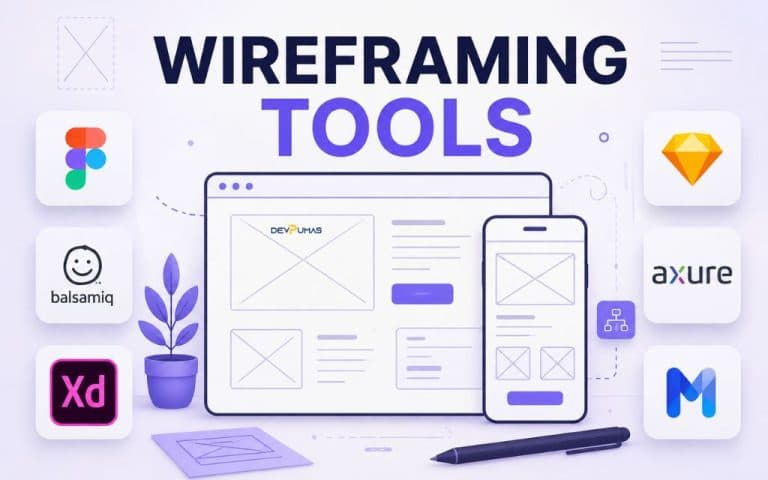
Here are seven popular options worth considering when comparing the Best Wireframing Tools for modern UX and product design.
Figma
Figma has become a popular choice for designers who want wireframing, interface design, collaboration, and prototyping in one environment. Its browser-based workflow makes it convenient for teams working across different locations, while its shared files allow multiple people to contribute to a project.
Figma works well for everything from simple product wireframes to detailed interactive prototypes. Designers can begin with basic layouts and gradually develop them into polished interfaces, making it useful throughout a broader UX workflow.
Balsamiq
Balsamiq focuses heavily on quick, low fidelity wireframes. Its sketch-like visual style encourages designers to think about structure and usability instead of getting distracted by colors, typography, or visual polish.
This approach is especially useful during brainstorming and early planning. If you want to test different layouts quickly or explain an idea to a client without making it look finished, Balsamiq can be a practical choice.
Adobe XD
Adobe XD was designed around user experience, interface design, wireframing, and prototyping. It provides a familiar environment for designers who already work with other Adobe creative applications and want to move from early concepts toward more detailed screen designs.
Its prototyping capabilities can help teams demonstrate how different screens connect. However, when evaluating UX design software in 2026, it’s worth considering the current availability, support, and ecosystem of the tools you plan to use.
Sketch
Sketch has long been associated with interface and product design, particularly among designers working within Apple-focused environments. It offers features for creating layouts, reusable components, and detailed interface designs.
For teams building consistent digital products, reusable elements can help maintain a coherent UI design system. Its role is strongest when designers need a focused environment for creating and managing interface concepts.
Axure RP
Axure RP is aimed at designers who need more advanced interactions and detailed prototypes. Instead of stopping at static screens, designers can build experiences that demonstrate logic, dynamic behavior, conditional interactions, and complex user flows.
That makes Axure useful for projects where stakeholders need to understand how an interface behaves rather than simply seeing what it looks like. It can be particularly valuable for enterprise applications, complicated workflows, and products with many interaction states.
MockFlow
MockFlow provides a straightforward environment for creating wireframes and planning digital interfaces. Its approach can work well for teams that want to move quickly from an initial concept to a visual representation of a website or application.
It can also be useful for brainstorming and collaboration. For beginners, the relatively simple workflow makes it easier to concentrate on page structure, content hierarchy, and navigation without becoming overwhelmed by advanced design features.
Lucidchart
Lucidchart is best known as a diagramming platform, but its visual workspace can also support wireframes, flowcharts, and planning activities. This makes it useful when your project requires more than screen layouts.
For example, a team can use diagrams to visualize a user journey before connecting those ideas to interface screens. This combination can make Lucidchart useful among website planning tools, especially when information architecture and process mapping are important.
How to Choose the Right Wireframing Tool
Start by considering what you’re actually trying to accomplish. A beginner planning a simple landing page doesn’t necessarily need an advanced platform with complex interactions, while a large product team may need collaboration, reusable components, prototyping, and detailed user flows. Your experience level, project size, platform, and preferred workflow should all influence the decision.
It’s also worth looking beyond the number of features. Check whether the tool works well with your team, supports the type of mobile app wireframing or website planning you need, and fits your budget. If developers and designers already use a particular ecosystem, integrations and file compatibility may matter just as much as the wireframing features themselves.
Wireframing vs Prototyping
Wireframing and prototyping are connected, but they aren’t the same thing. A wireframe mainly shows the structure of an interface, including screen layout, navigation, content areas, and basic interactions. A prototype goes further by allowing people to experience how screens connect and how an interface might behave.
You can think of a wireframe as a map and a prototype as a test drive. Low fidelity wireframes are often useful at the beginning, while high fidelity wireframes and interactive prototypes become more valuable as the concept develops. Using both at the right stage can help teams identify usability problems before they become expensive development issues.
Common Wireframing Mistakes to Avoid
One common mistake is adding too much visual detail too early. Designers sometimes spend hours choosing colors, images, shadows, and fonts when the basic structure still needs work. A wireframe should answer important questions about layout and usability before it becomes a polished mockup.
Another mistake is creating screens without thinking about the complete user journey. Each page should have a purpose, and the connections between screens should make sense. It’s also important to collect feedback from developers and stakeholders rather than designing in isolation. A strong process uses wireframes as a communication tool, not just as a personal sketchbook.
How DevPumas Helps Businesses Build Better Digital Products
Building a successful digital product requires more than creating attractive screens. Businesses need a clear understanding of their users, practical workflows, strong technical planning, and a product experience that supports real goals. Wireframing provides an important foundation because it allows teams to explore ideas before committing significant development resources.
DevPumas can help businesses turn early concepts into structured digital experiences by connecting design, development, and product thinking. From planning interfaces to developing digital solutions, a thoughtful process can reduce unnecessary revisions and create products that are easier for customers to understand and use.
FAQs
1. What are wireframing tools?
Wireframing tools help designers create visual layouts for websites, apps, and digital products before development. They focus on structure, navigation, content placement, and user experience.
2. Which wireframing tool is best for beginners?
Balsamiq and MockFlow can be good starting points because their workflows are relatively easy to understand. Figma is also useful if you want to learn wireframing alongside more advanced design and prototyping features.
3. Is Figma good for wireframing?
Yes. Figma supports everything from simple wireframes to detailed interface designs and interactive prototypes, while its collaboration features make it useful for teams.
4. What is the difference between a wireframe and a prototype?
A wireframe focuses mainly on the structure and layout of an interface. A prototype adds interaction, allowing users and stakeholders to experience how screens connect and behave.
5. How do I choose the right wireframing tool?
Consider your project size, skill level, collaboration requirements, budget, integrations, and desired level of detail. Choose the platform that supports your actual workflow rather than simply selecting the tool with the most features.
Conclusion
Choosing among the Best Wireframing Tools becomes much easier when you first understand what your project needs. Some tools are ideal for quick, low fidelity concepts, while others are better suited to detailed interfaces, collaboration, advanced interactions, or complete prototypes.
The important thing isn’t finding the tool with the longest feature list. It’s finding one that helps you communicate ideas clearly, test user flows, gather feedback, and move smoothly from planning to development. With the right wireframing process, you can spot problems earlier and build digital products that provide a much better experience for your users.