Blog
Insights on AI agents, automation, and software development from the DevPumas team.
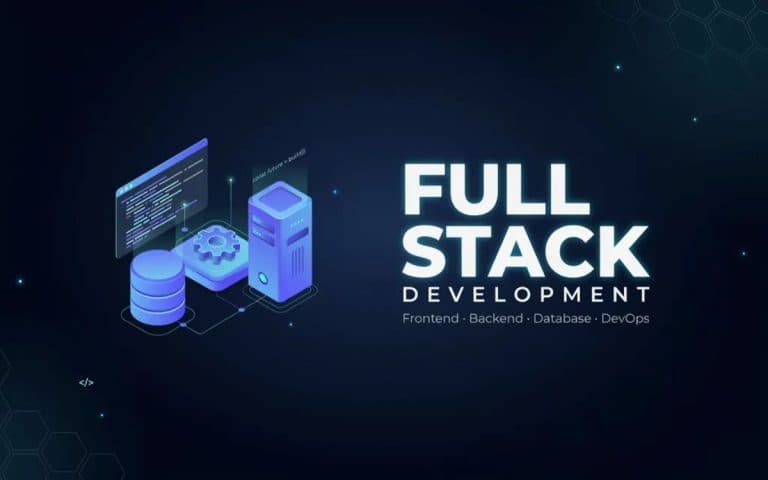
Full Stack Development: Complete Beginner's Guide 2026
Introduction If you've been thinking about building websites or web applications, you've probably come across the term Full Stack Development more than once. It can feel overwhelming at first, especially when you're trying to understand how front-end and back-end technologies work together to create complete digital experiences. In this guide, you'll learn what Full Stack Development really means, why it's such a valuable skill in today's tech industry, and what tools and technologies full stack developers use. Whether you're a beginner exploring a new career path or someone looking to expand your programming skills, this article will give you the insights you need to get started. What Is Full Stack Development? Full Stack Development refers to the process of building and maintaining both the client-side and server-side portions of an application. A full stack developer works across the entire application architecture, from designing user interfaces to managing databases and backend infrastructure. This approach allows developers to understand how different layers of modern web applications connect and communicate. Instead of specializing in only one area, they gain knowledge across multiple technologies and development processes. Definition of Full Stack Development At its core, full stack programming involves working with all major components of a web application. These include the front-end interface users see, the back-end logic that processes data, and the databases that store information. A full stack engineer can build an entire application from start to finish. This versatility makes them valuable in startups, agencies, and enterprise web solutions environments. Front-End vs Back-End Development Frontend vs backend development is one of the first concepts beginners encounter. Front-end development focuses on what users interact with directly, including layouts, buttons, menus, and animations. Back-end development handles business logic, authentication, data processing, and communication with databases. Together, these components create seamless user experiences and functional applications. Why It's Called "Full Stack" The term "stack" refers to the collection of technologies used to build an application. Since developers work across the entire technology stack, they're called full stack developers. Think of building a house. The front-end is the exterior and interior design people see. The back-end is the plumbing, electrical wiring, and structural framework that keeps everything working properly. Components of Full Stack Development Every successful web application relies on several interconnected components. Understanding these building blocks helps beginners grasp how web technologies work together. When combined properly, these layers create scalable web applications that deliver fast performance, security, and excellent user experience design. Front-End Development Front-end development focuses on user interface development and responsive web design. Developers use HTML5, CSS3, and JavaScript to create attractive and mobile-friendly websites. Modern frameworks such as React.js, Angular, and Vue.js make it easier to build interactive interfaces while improving performance and maintainability. Back-End Development Server-side development powers everything users don't directly see. This includes user authentication, business logic, application security, and data processing. Popular backend technologies include Node.js, Express.js, Python, Django, Flask, PHP, Laravel, Java, and Spring Boot. These tools help developers build reliable software solutions. Database Management Database development involves storing, organizing, and retrieving application data efficiently. Without databases, applications couldn't remember user information, products, or transactions. Popular database management systems include MongoDB, MySQL, and PostgreSQL. Choosing the right database depends on project requirements and scalability goals. Simple Full Stack Architecture Diagram Frontend (HTML, CSS, JavaScript) ↓ REST API / GraphQL ↓ Backend (Node.js, Django, Laravel) ↓ Database (MongoDB, MySQL, PostgreSQL) Essential Skills for Full Stack Developers Success in this field requires a mix of technical knowledge and soft skills. While tools change over time, core development principles remain valuable throughout a developer's career. Building strong full stack developer skills takes patience, practice, and continuous learning. Programming Languages Programming languages form the foundation of web development. JavaScript remains one of the most important languages because it works on both the front end and back end. Many developers also learn Python, PHP, Java, or TypeScript to expand their capabilities and increase career flexibility. Version Control (Git & GitHub) Version control helps developers track code changes and collaborate effectively. Git allows teams to manage projects without accidentally overwriting each other's work. GitHub provides cloud-based repositories where developers can store code, review changes, and showcase projects to employers. Database Management A good full stack developer understands how databases function and how data flows through applications. This knowledge improves performance and helps prevent common development issues. Learning SQL and NoSQL databases gives developers flexibility when working on different project types. API Integration API development enables applications to communicate with external services and systems. Whether connecting payment gateways or social media platforms, APIs play a crucial role in modern software development. REST API and GraphQL are two widely used approaches for creating and managing application communication. Problem-Solving Skills Coding isn't just about writing syntax. Developers constantly solve problems, troubleshoot bugs, and improve application performance. Strong analytical thinking helps developers create efficient solutions while reducing development time and maintenance costs. Popular Technologies Used in Full Stack Development The technology landscape changes rapidly, but some tools remain industry favorites due to their reliability and community support. Learning the right combination of technologies can significantly accelerate your full stack development career path. Layer Popular Technologies Front-End HTML5, CSS3, JavaScript, React.js Back-End Node.js, Django, Laravel, Spring Boot Database MongoDB, MySQL, PostgreSQL Cloud AWS, Microsoft Azure DevOps Docker, Kubernetes Front-End Technologies HTML5 provides structure, CSS3 handles styling, and JavaScript adds interactivity. Together, they form the foundation of client-side development. Frameworks like React.js, Angular, and Vue.js simplify complex interface development and improve development efficiency. Back-End Technologies Back-end frameworks help developers build secure and scalable applications. Node.js and Express.js are popular JavaScript-based solutions for server-side development. Python frameworks like Django and Flask are known for simplicity and speed. Meanwhile, Laravel and Spring Boot remain popular choices for enterprise applications. Databases Databases serve as the backbone of web application architecture. They store user accounts, product information, content, and business data. MongoDB offers flexibility for modern applications, while MySQL and PostgreSQL provide strong relational database capabilities. Full Stack Development Roadmap
Best AI Web Builders for Beginners in 2026
Introduction If you’ve ever tried building a website from scratch, you probably know how overwhelming it can feel. Between coding, design tools, and endless tutorials, it’s easy to waste hours without getting the results you want. That’s why so many people are now searching for AI Web Builders to make the process faster and less stressful. In this blog, you’ll learn how AI Web Builders work, why they’re becoming so popular, and which features actually matter when choosing one. Whether you’re starting a business, creating a portfolio, or launching a side project, this guide will help you find an easier way to build a professional-looking website without needing advanced technical skills. How AI Web Builders Work AI website builders use machine learning and automation to simplify web design. Instead of building every page manually, you answer a few questions about your business, goals, or style preferences. The platform then creates a customized website layout within minutes. Most AI-powered website builders combine drag-and-drop editors with automation tools. They can generate text, suggest colors, optimize images, and create mobile-friendly designs automatically. Some advanced platforms even include AI chatbots, SEO tools, and AI-generated website content to speed up development even more. Key Features to Look for in AI Web Builders Not all AI web design software offers the same experience. Some focus on beginners while others are built for agencies or ecommerce businesses. Choosing the right platform depends on your goals, budget, and technical comfort level. Here are some important features to consider: A good AI website builder should save you time without limiting creativity. Think of it like having a smart assistant beside you while building your website. Best AI Web Builders for Beginners in 2026 The market is full of smart website builders right now. However, a few platforms stand out because they combine simplicity, speed, and useful AI tools. Below are some of the best AI web builders in 2026 for beginners and growing businesses. Platform Best For AI Features Ease of Use Wix AI Beginners AI design assistant, AI text generation Very Easy Hostinger Budget users AI site generator, AI copy tools Easy Squarespace Creatives AI design suggestions, templates Easy Shopify Magic Ecommerce Product descriptions, AI automation Moderate WordPress AI Flexibility AI plugins, AI SEO tools Moderate Wix AI Website Builder Wix remains one of the most popular AI website builders for beginners. Its AI-powered website builder asks a few simple questions and creates a personalized website in minutes. You can later customize everything using its drag-and-drop editor. The platform also includes AI-generated websites, SEO tools, logo makers, and AI content assistance. For someone who wants the fastest way to create a website without coding, Wix is hard to beat. Hostinger AI Builder Hostinger has become a favorite among startups and freelancers because of its affordability. Its AI website creation platform helps users generate layouts, write website copy, and create logos automatically. What makes Hostinger attractive is simplicity. Even if you’ve never built a website before, the platform feels clean and beginner-friendly. It’s one of the most affordable AI website builders available today. Squarespace AI Website Creator Squarespace focuses heavily on design quality. If visuals matter to you, this platform offers elegant templates and AI-enhanced design tools that make websites look polished from the start. The platform works well for photographers, designers, and personal brands. Its AI-powered web development tools also help users optimize layouts and improve user experience without touching code. Shopify Magic AI Builder Shopify Magic is designed for ecommerce businesses. It helps store owners generate product descriptions, automate customer interactions, and improve online store management using AI. If you’re launching an online shop, this AI ecommerce website builder can save countless hours. It’s especially useful for startups that need fast product uploads and scalable AI website solutions. WordPress AI Website Tools WordPress remains one of the most flexible website platforms in the world. While it’s not fully AI-driven by default, many plugins now add AI-assisted web development features. You can use AI coding assistants for websites, AI SEO optimization tools, and AI content generation plugins. WordPress is ideal for users who want complete customization and long-term scalability. AI Web Builders vs Traditional Website Builders Traditional website builders require more manual work. You usually need to choose templates, adjust layouts, and write all content yourself. AI web builders automate many of those steps. Here’s a simple comparison: Feature AI Web Builders Traditional Builders Setup Speed Very Fast Slower Coding Needed Minimal Sometimes Required Content Generation AI-Assisted Manual Design Suggestions Automatic Manual SEO Optimization Built-In AI Tools Manual Setup Beginner Friendly Highly Moderate For many users, AI-powered website automation removes the biggest roadblocks. Instead of getting stuck on technical details, you can focus on growing your business or brand. Advantages of Using AI Web Builders One of the biggest benefits of AI website builders is speed. What once took weeks can now happen in a single afternoon. This makes them perfect for startups, bloggers, and small businesses with limited time. Other major advantages include: AI web builders also reduce decision fatigue. Instead of staring at a blank screen, you start with AI-generated suggestions and improve them as needed. Limitations of AI Web Builders Even though AI-powered website builders are impressive, they still have limitations. Most platforms rely on templates and automation, which can sometimes make websites feel similar. Here are a few drawbacks to keep in mind: If your business needs highly custom features or enterprise-level systems, traditional development may still be the better choice. Best AI Web Builder for Different Needs Different users need different tools. A blogger won’t need the same features as an ecommerce business owner. Choosing the right AI web builder depends on your goals. Need Recommended Builder Small Business Wix AI Blogging WordPress AI Ecommerce Shopify Magic Free Plan Hostinger Portfolio Website Squarespace Best for Small Businesses Wix AI works extremely well for small business websites because it balances simplicity and functionality. You can quickly create service pages, contact forms, and booking

ChatGPT Integration Tutorial for Beginners (2026)
Introduction If you’ve been trying to connect AI tools with your website, app, or workflow, it can feel confusing fast. Maybe you’ve seen developers talking about APIs, automation, and chatbots, but the setup process still seems overwhelming. That’s exactly why so many people start searching for a clear and beginner-friendly ChatGPT Integration Tutorial. In this guide, you’ll learn how ChatGPT integration works, what tools you actually need, and the easiest ways to connect it with your projects. Whether you’re building a chatbot, automating customer support, or adding AI features to your business, this tutorial will break everything down into simple, practical steps you can follow with confidence. What Is ChatGPT Integration? ChatGPT integration means connecting OpenAI’s AI models to your website, software, or mobile app through the OpenAI API. Once connected, your platform can send prompts to ChatGPT and receive intelligent responses in real time. Think of it like plugging a brain into your application. Businesses use ChatGPT API integration for many reasons. Some create AI chatbots for customer support while others automate writing tasks, summarize data, or build intelligent virtual assistants. In 2026, conversational AI integration has become one of the fastest-growing trends in digital products because users now expect faster and smarter interactions online. Requirements Before You Start Before beginning your ChatGPT API guide journey, you’ll need a few basic tools and accounts. Thankfully, you don’t need a huge development team or expensive software to get started anymore. Here’s what you should prepare before integration: If you’re completely new to AI integration for beginners, don’t worry. You can still follow this tutorial step by step without advanced programming knowledge. How to Get OpenAI API Access Getting API access is the first major step in this beginner ChatGPT integration guide. Once you have your credentials, you’ll be able to build AI-powered applications and connect ChatGPT to your own systems. The setup process usually takes only a few minutes. However, understanding pricing, authentication, and security early will save you many headaches later. Create an OpenAI Account Visit the official OpenAI platform and create your account using email or Google login. After verifying your email, you’ll gain access to the developer dashboard and OpenAI API documentation. The dashboard is where you’ll manage API keys, usage limits, billing, and integrations. It may look technical at first, but the layout is fairly beginner-friendly. Generate Your API Key Your API key acts like a password between your application and OpenAI’s servers. After logging into your dashboard, generate a new secret key and store it somewhere safe. Never expose API keys publicly in frontend code. That’s one of the most common mistakes beginners make during ChatGPT implementation projects. Understand API Pricing and Usage OpenAI pricing depends on token usage, which is basically the amount of text sent and received. Larger conversations use more tokens, so costs increase with higher usage. For small projects, pricing is usually affordable. However, scalable AI chatbot systems should monitor token usage carefully to avoid unexpected expenses. Feature Cost Impact Short prompts Low Long conversations Medium Large AI workflows High Real-time responses Variable Secure Your API Keys Security matters from day one. Store keys inside environment variables instead of directly inside your application code. You should also: Protecting your credentials is a critical part of secure OpenAI API keys management. ChatGPT API Basics Explained The OpenAI API works through requests and responses. Your application sends a prompt, and ChatGPT generates a reply almost instantly. That response can then appear inside a chatbot, app, or website feature. Here’s a simple workflow: It’s similar to ordering food through an app. Your request travels to the kitchen, gets processed, and comes back prepared. In this case, the “kitchen” is OpenAI’s cloud-based AI services. Step-by-Step ChatGPT Integration Tutorial This section walks through a practical ChatGPT Integration Tutorial for beginners. You’ll learn how to connect your application to the OpenAI API and display AI-generated responses in real time. Even if you’ve never built an AI assistant development project before, these steps will help you understand the full process from start to finish. Install Required Libraries Most developers use official SDKs to simplify API integration. For JavaScript, you can install the OpenAI package using npm. Python developers typically use pip. Example installation commands: npm install openai pip install openai These libraries help handle API request and response handling more efficiently. Set Up Your Backend A backend server acts as the middle layer between users and OpenAI. This keeps API keys secure while processing requests safely. Popular backend technologies include: Backend API integration also gives you more control over logging, rate limiting, and AI workflow automation. Connect to the OpenAI API Once your backend is ready, connect it to OpenAI using your secret API key. JavaScript example: const OpenAI = require("openai"); const client = new OpenAI({ apiKey: process.env.OPENAI_API_KEY, }); This connection allows your app to communicate with ChatGPT servers securely. Send Your First Prompt Now comes the fun part. Send your first prompt and receive an AI-generated response. Example prompt: const response = await client.chat.completions.create({ model: "gpt-4.1-mini", messages: [{ role: "user", content: "Hello!" }], }); Watching your app reply intelligently for the first time feels a bit magical. It’s like flipping on the lights in a smart home for the first time. Display AI Responses Once you receive data from the API, display it in your frontend interface. Most developers show responses inside chat bubbles or messaging windows. Good chatbot user experience design should feel natural, fast, and easy to read. Nobody likes a chatbot that looks like a broken calculator from 2007. Test Your Integration Always test: Testing helps ensure your AI-powered chatbot behaves consistently across different user situations. ChatGPT Integration With JavaScript JavaScript is one of the most popular choices for ChatGPT frontend integration because it works well with web applications. Frameworks like React, Next.js, and Vue make building conversational AI platforms much easier. JavaScript also supports real-time chatbot responses effectively. That’s why many AI chatbot tutorial projects use Node.js for backend processing and React

How to Create AI Agents for Beginners in 2026
Introduction If you’ve been hearing about AI everywhere lately, you’re probably wondering how people are actually building these smart tools on their own. Maybe you’ve tried reading technical guides before, only to end up more confused than when you started. Learning how to create AI agents can feel overwhelming at first, especially when every tutorial sounds too complex or full of jargon. This blog will break everything down in a simple and practical way so you can understand the process without needing an advanced tech background. You’ll learn what AI agents are, how they work, and the basic steps to start building one yourself. Whether you’re curious, experimenting, or planning a real project, this guide will help you move forward with confidence. What Are AI Agents? AI agents are software systems that can perform tasks, make decisions, and interact with users automatically. Unlike traditional software that follows fixed instructions, an AI-powered workflow automation system can learn from data, respond to changing situations, and improve over time. Think of it like a digital employee that never sleeps and handles repetitive work for you. Many businesses now use intelligent automation systems for customer support, scheduling, data analysis, and content generation. For example, an AI virtual assistant can answer emails while another AI productivity assistant manages appointments. These tools save time and reduce manual work, especially for growing companies trying to do more with fewer resources. Types of AI Agents There are several kinds of AI agents, and each serves a different purpose. Simple reflex agents follow direct rules, while machine learning agents improve using data and experience. Some advanced multi-agent AI systems can even work together to solve bigger problems. You’ll also see conversational AI assistants used in chatbots, customer support, and smart AI assistants that respond naturally through natural language processing AI. Why AI Agents Are Important in 2026 The demand for AI-powered business solutions has exploded because companies want faster operations and lower costs. In 2026, businesses are relying on AI task automation to manage customer interactions, marketing campaigns, reporting, and workflow management. As a result, more professionals are searching for how to create AI agents that can automate repetitive work and improve efficiency. Instead of hiring large teams for routine tasks, companies now build AI automation systems that scale easily. AI agents are also becoming more accessible to beginners. No-code autonomous agents and affordable AI automation tools allow almost anyone to start building. In fact, many startups now use AI business automation tools before hiring full-time staff. People who are exploring how to create AI agents are now finding it much easier to launch simple projects with these beginner-friendly tools. It’s a little like giving your business a smart extra pair of hands that works around the clock. Essential Skills Needed to Create AI Agents You don’t need to become a data scientist before learning how to build AI agents. However, understanding a few core skills makes the process much easier. Basic Python programming, prompt engineering, and API integrations are especially useful if you want more control over your projects. You should also understand how AI models process information. Learning about neural networks, AI memory systems, vector databases, and automation workflows will help you build smarter tools. Even beginners can start small by experimenting with simple AI assistant development projects before moving into advanced AI applications. Best Tools to Create AI Agents There are now dozens of platforms that simplify AI software development. Tools like OpenAI, LangChain, AutoGen, CrewAI, and Flowise help developers create autonomous AI agents faster than ever. Some platforms focus on large language model integration while others specialize in AI workflow management or intelligent chatbot technology. If you prefer a beginner AI automation guide, no-code tools may be the easiest path. Platforms like Zapier AI, Make, and Bubble allow users to build smart task execution systems without writing much code. Meanwhile, developers who want custom AI agent solutions often choose Python-based AI agent frameworks because they offer greater flexibility and deeper customization. No-Code vs Coding AI Agents No-code AI agents are great for beginners because they remove technical barriers and speed up development. You can connect apps, automate tasks, and create simple conversational AI assistants with drag-and-drop builders. However, coding AI agents provide far more control and advanced features for enterprise AI solutions. Feature No-Code AI Agents Coding AI Agents Ease of Use Easy Moderate Flexibility Limited High Speed Fast Slower Customization Basic Advanced Best For Beginners Developers If you’re learning how to create AI agents without coding, start with no-code platforms first. Later, you can move into Python and AI API integration once you feel comfortable. Step-by-Step Guide on How to Create AI Agents Building an AI agent may sound technical, but the process becomes manageable when broken into smaller steps. Most AI agent development guides follow the same basic structure: define a goal, choose a model, add memory, connect tools, and improve performance through testing. The good news is that modern AI frameworks simplify many complicated tasks. Learning how to create AI agents today is far easier than it was just a few years ago because many tools already handle the heavy lifting behind the scenes. Step 1 – Define the Purpose of Your AI Agent Start by deciding exactly what your AI agent should do. Some agents answer customer questions while others automate scheduling, generate reports, or organize data. A clear purpose keeps development focused and prevents feature overload later. If you’re learning how to create AI agents, defining the goal early makes the entire development process much smoother. For example, an AI-driven customer support bot needs conversational abilities and access to company FAQs. Meanwhile, an AI productivity assistant might focus more on reminders, calendar management, and automation workflows. Step 2 – Choose an AI Model Your AI model acts as the brain of the system. Most modern AI agents use generative AI applications powered by large language models such as GPT-based systems. These models understand instructions, generate responses, and perform reasoning
Develop an App with AI: Complete 2026 Guide
Introduction Many people have a great app idea but feel stuck when it comes to actually building it. Coding, design, testing, and costs can make the whole process feel overwhelming, especially for beginners or small business owners. That’s why more people are searching for smarter ways to Develop an App with AI and turn their ideas into something real without spending years learning complex skills. In this blog post, you’ll learn how AI is changing app development and making it faster, easier, and more affordable than ever before. We’ll break down the tools, steps, and benefits in simple terms so you can understand exactly how to Develop an App with AI even if you have little or no technical experience. What Does It Mean to Develop an App with AI? To develop an app using artificial intelligence means using AI tools to automate or improve different parts of app creation. These tools can help generate code, design layouts, write app logic, test features, and even optimize performance. Instead of starting from scratch, developers can now speed up the process with AI coding assistants and automation platforms. Modern AI app development combines human creativity with smart software systems. Think of AI like a highly skilled assistant sitting beside you during development. It handles repetitive work while you focus on ideas, strategy, and user experience. This shift has opened the door for startups, freelancers, and small businesses to build apps with AI without massive technical teams. AI in Modern App Development AI has become a major force in software creation. Developers now use AI automation tools to write cleaner code, identify bugs, improve security, and personalize user experiences. In fact, many companies rely on AI software development tools daily because they reduce costs and save time. Machine learning app development has also become more accessible. Apps can now analyze user behavior, recommend content, predict trends, and automate customer support. From conversational AI apps to predictive AI systems, intelligent mobile applications are becoming part of everyday life. Types of Apps You Can Build with AI AI development platforms support many different app categories. You can build eCommerce apps, AI chatbot app development systems, healthcare apps, education platforms, booking systems, and social networking tools. Some startups even use generative AI development to create writing assistants and creative tools. Businesses also create custom AI applications for customer service, automation, and data analysis. Whether you want Android app development with AI or iOS app development with AI, modern platforms support both ecosystems. That flexibility makes AI-driven mobile apps attractive for companies of all sizes. Benefits of Developing an App with AI AI-enhanced development offers major advantages for developers and businesses alike. One of the biggest benefits is speed. AI coding tools can generate app structures and reusable code blocks within minutes. Tasks that once took weeks now happen in hours. Another huge advantage is lower development cost. Many no-code AI app builder platforms allow beginners to create apps without hiring expensive teams. That’s especially helpful for startups with limited budgets. Also, AI-powered mobile applications can improve personalization, automation, and customer engagement. Here are some major benefits of AI in app development: For example, a restaurant owner can create business apps using AI without learning advanced programming. That’s a major shift from traditional development methods. Best AI Tools for App Development in 2026 The AI app builder market has exploded in recent years. Some platforms focus on automation while others specialize in no-code development or UI design. Choosing the right tool depends on your goals, experience level, and project size. Here’s a quick comparison table of popular AI development platforms: Tool Type Best For Skill Level GitHub Copilot AI coding assistance Intermediate Bubble No-code apps Beginner FlutterFlow Mobile app design Beginner to Advanced Replit AI Rapid coding Beginner Adalo Business apps Beginner Figma AI Automated app design All Levels AI Coding Assistants AI coding assistants help developers write and improve code quickly. Tools like GitHub Copilot and Replit AI can suggest functions, complete code snippets, and identify errors before deployment. These AI tools for developers and startups reduce repetitive work and increase productivity. Many professional teams now use AI coding assistant software during full-stack development. It’s especially useful for SaaS app development AI projects where development speed matters. However, developers still need to review generated code carefully for quality and security. No-Code AI App Builders No-code AI app development platforms are perfect for beginners and small businesses. These tools use drag-and-drop systems that simplify app creation. Instead of writing thousands of lines of code, users can visually build app screens and workflows. Platforms like Bubble and Adalo make it easier to create apps without coding. Many entrepreneurs now use no-code AI app builder systems to validate startup ideas before investing heavily in development. AI Design Tools App design with AI has become much smarter in 2026. AI design tools can generate layouts, recommend color schemes, improve spacing, and create responsive interfaces automatically. This improves workflow speed and helps teams maintain design consistency. Tools like Figma AI also improve AI-enhanced user experience by analyzing user behavior and suggesting design improvements. That means apps become more user-friendly before launch. Step-by-Step Guide to Develop an App with AI Building an app with AI becomes much easier when you follow a clear process. Instead of rushing into coding, successful developers break the project into manageable steps. This approach reduces mistakes and keeps development organized. The good news is that modern AI software for app creation simplifies many technical tasks. Even beginners can create functional apps by combining no-code tools, AI automation, and smart planning. Step 1 – Choose Your App Idea Every successful app starts with a problem worth solving. Before development begins, think about your target audience and what they need. A good app idea usually saves time, reduces frustration, or improves convenience. For example, many startups focus on smart business apps because businesses constantly look for digital transformation solutions. Try validating your idea by researching competitors and gathering
AI App Builder Guide to Build Apps in Minutes
Introduction Building an app sounds exciting,until you actually try to do it. Most people quickly run into coding confusion, expensive developers, or tools that feel way too complicated for beginners. If you’ve ever had a great app idea but didn’t know where to start, you’re definitely not alone. That’s where an AI App Builder changes everything. In this blog, you’ll discover how these tools make app creation faster, easier, and more accessible, even if you have zero coding experience. We’ll break down what it is, how it works, and why it’s becoming a game-changer for creators, entrepreneurs, and beginners alike. What Is an AI App Builder? An AI App Builder is a smart platform that helps you create mobile and web applications using artificial intelligence instead of traditional coding. It understands your idea through simple inputs like text, templates, or drag-and-drop actions and turns them into functional apps. This makes app creation accessible even if you have zero programming skills. In simple words, it works like having a virtual developer that builds your app for you. Most platforms combine no-code systems with automation, making it easier for beginners, entrepreneurs, and startups to launch apps quickly without technical barriers. How AI App Builder Works An AI App Builder works by combining machine learning, automation, and user-friendly design tools. You usually start by describing your app idea, and the system generates a basic structure for you. From there, you can customize features using visual editors or drag-and-drop tools. Behind the scenes, the platform converts your input into code using AI models. This is why many people call it a no code AI app builder because you never actually see or write code. Instead, the system handles all the technical work while you focus on design and functionality. The workflow is simple: This is why many users see it as the fastest way to develop an app with AI. Key Features of AI App Builder Tools Modern AI App Builder platforms come with powerful features designed to simplify app creation. One of the most important features is drag-and-drop editing, which allows you to build screens visually without coding. Most tools also include templates, automation systems, and AI-powered suggestions. These features help users create professional designs quickly and reduce manual effort. Many platforms also function as a cloud based app builder platform, meaning you can access your projects from anywhere. Other key features include: These features make the entire process feel smooth and beginner-friendly. Benefits of Using AI App Builder The biggest advantage of using an AI App Builder is speed. Instead of spending months coding an app, you can create a working version in hours or days. This is especially useful for startups that want to test ideas quickly. Another major benefit is cost savings. You don’t need to hire a full development team, which makes it ideal for small businesses and solo creators. Many users also prefer it because it removes the technical barrier completely. Key benefits include: In fact, many people now prefer AI-powered app development platforms because they make the entire process simple and efficient. Who Should Use an AI App Builder? AI App Builder tools are designed for a wide range of users. If you are a beginner with no coding experience, you can still build a complete app using simple tools. This makes it perfect for students and first-time creators. Entrepreneurs and startup founders also benefit a lot because they can quickly test ideas without investing heavily in development. Freelancers and small businesses can use it to create client apps faster and more efficiently. Ideal users include: This is why many call it the best beginner friendly app builder available today. Best Use Cases of AI App Builder The flexibility of an AI App Builder makes it suitable for many types of applications. You can build anything from simple tools to full business apps without writing code. Common use cases include e-commerce apps, booking systems, portfolio apps, and startup MVPs. Many creators also use it to test new ideas before investing in full-scale development. Popular use cases: These examples show how powerful AI application generator tools have become for real-world projects. Limitations of AI App Builder Even though AI App Builder tools are powerful, they do have some limitations. One of the main issues is customization. While they offer flexibility, they may not match the depth of fully custom-coded applications. Another limitation is scalability. For very large or complex systems, traditional development may still be required. Some platforms also depend heavily on their ecosystem, which can limit advanced control. Key limitations include: However, for most beginners and startups, these limitations are not major issues in the early stages. AI App Builder vs Traditional App Development When comparing AI App Builder platforms with traditional development, the difference is clear in terms of speed and simplicity. Traditional coding requires technical knowledge, planning, and longer development cycles. On the other hand, AI-based tools allow users to build apps much faster using automation. You don’t need to understand programming languages, which makes the process more accessible. Comparison overview: This is why many businesses are shifting toward low code development platforms and AI solutions for rapid growth. Future of AI App Builder Technology The future of app development is strongly connected to artificial intelligence. As AI models become more advanced, we will see even more powerful automation in app creation. In the near future, apps may be built entirely from simple conversations. We are already moving toward a world where AI software development tools can design, build, and deploy apps automatically. This shift will reduce the need for technical skills and open opportunities for millions of new creators. Future trends include: This evolution clearly shows the direction of the future of app development with artificial intelligence. How Devpumas Helps You Build Apps with AI App Builder Devpumas helps businesses and individuals turn ideas into real applications using modern AI-driven tools. Instead of struggling with complex systems, you get a simplified development experience