n8n AI agent: How to Build Smarter Workflows in 2026
Introduction
Tired of spending hours on repetitive tasks that seem to never end? Managing emails, updating data, and switching between different tools can quickly become frustrating. An n8n AI agent can help you automate these everyday tasks, save valuable time, and create smarter workflows without doing everything manually.
In this guide, you’ll learn how to build smarter AI-powered workflows in 2026, even if you’re just getting started. We’ll walk through the setup process, essential tools, practical examples, and useful tips to help you automate your work. By the end, you’ll have a clearer understanding of how to create AI agents that make your daily tasks easier and your business more efficient.
What Is an n8n AI Agent and How Does It Work?
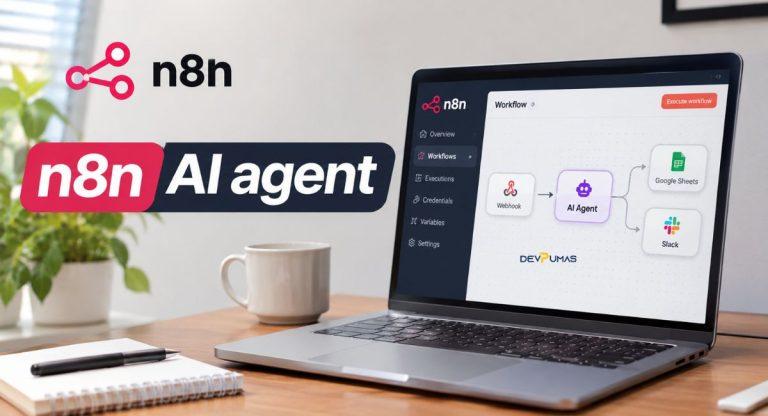
An n8n AI agent is an intelligent automation system that uses artificial intelligence to understand requests, choose actions, and complete tasks. It combines large language models with connected applications and workflow tools. Instead of following only fixed instructions, it can evaluate information and decide which available tool to use.
For example, imagine a customer asking about an order. The agent could check an order database, retrieve delivery details, and prepare a helpful response. This process combines AI reasoning with traditional business process automation. However, the system can only perform actions through the tools and permissions you provide.
In 2026, n8n supports both the familiar AI Agent node inside workflows and separate standalone Agents. This guide focuses on building with the AI Agent node. Standalone Agents offer another approach for assistants that work across workflows, channels, and schedules.
Why Use n8n AI Agents for Workflow Automation in 2026?
Businesses handle countless small tasks every day, from answering customer questions to organizing information. These responsibilities often take employees away from more valuable work. With n8n workflow automation, companies can connect their existing tools and reduce the time spent moving information between applications.
Another advantage is flexibility. You can create workflows for marketing, customer service, sales, and internal operations without developing every integration from scratch. AI-powered workflow automation also helps process requests that don’t always follow predictable patterns. Still, important decisions should include appropriate checks and human oversight.
How to Build an n8n AI Agent Step by Step
Building your first agent doesn’t require creating a complicated system. Start with one clear goal, such as answering basic customer questions or retrieving order information. Once that workflow works reliably, you can add more tools and capabilities.
This beginner-friendly n8n automation tutorial uses a simple customer support assistant as an example. The assistant will receive messages, interpret requests, and retrieve information from approved sources. Follow these six steps to create your first AI agent workflow.
Step 1: Set Up Your n8n Environment
Visit n8n and choose between its managed cloud platform and a self-hosted installation. Cloud hosting is convenient for beginners, while self-hosting provides more infrastructure control. After setting up your account or server, open the workflow editor. Check that you have access to the required AI model and application credentials before continuing.
Step 2: Create a New AI Automation Workflow
Create a new workflow and give it a descriptive name, such as “AI Customer Support Assistant.” Add a Chat Trigger node to receive messages from users. This trigger starts the workflow whenever someone sends a chat message. Connect it to the AI Agent node, which will handle interpreting requests and choosing suitable actions.
Step 3: Add and Configure the AI Agent Node
Open the AI Agent node and configure its instructions. Explain the assistant’s purpose, its available responsibilities, and the situations that require human help. For example, instruct it to answer order questions using verified records and never invent delivery dates. Clear instructions improve consistency and help reduce incorrect responses.
Step 4: Connect an AI Language Model
Your agent needs a language model to understand messages and select actions. Add a compatible chat model, such as the OpenAI Chat Model node, and configure its credentials. Choose a model that supports the tools your workflow requires. Remember that model API usage may involve separate charges, so review the provider’s pricing and usage settings.
Step 5: Add Memory and External Tools
Connect a memory sub-node if your assistant needs to remember earlier messages within a conversation. Simple Memory works for basic testing, while supported external memory systems can suit more demanding environments. Next, connect approved tools such as Google Sheets or an order lookup workflow. Give each tool a clear description and restrict access to necessary information.
Step 6: Test and Activate Your AI Workflow
Test the assistant using realistic questions before making it available to customers. Try missing order numbers, unclear requests, and information that doesn’t exist in your database. Review execution logs to see which tools the agent selected and whether its answers were accurate. Fix problems, add human approval where needed, and publish or activate the workflow using your n8n interface.
Essential Tools and Integrations for n8n AI Agents
The strength of an AI workflow comes from the tools connected to it. A language model can interpret requests, but integrations allow the system to interact with real business information. Choosing useful connections helps turn a simple assistant into a practical automation solution.
You don’t need dozens of integrations to begin. Start with the applications your team already uses and add new connections only when they solve a specific problem. Too many unnecessary tools can complicate maintenance and make agent behavior harder to predict.
AI Models and API Connections
Large language models provide the reasoning and language capabilities behind intelligent automation. n8n supports integrations with providers such as OpenAI and Anthropic, along with other compatible model options. API connections let your workflow exchange information with external services. Always protect credentials and consider model accuracy, speed, and operating costs when selecting a provider.
Google Sheets, Slack, and CRM Integrations
Google Sheets can help an agent retrieve organized information or update approved records. Slack integrations support team notifications and internal communication. CRM integrations connect automation with customer profiles, sales opportunities, and support activities. For example, an assistant could identify a promising lead, prepare a CRM update, and notify a sales representative for review.
Memory, Webhooks, and External Data Sources
Memory helps an assistant maintain conversation context, while webhooks allow external systems to trigger workflows. You can also connect databases, business APIs, and knowledge sources for more accurate responses. For reliable n8n AI automation, keep customer data secure and choose storage methods that match your privacy and retention requirements.
Best n8n AI Agent Use Cases for Businesses
Customer support is one practical application. An agent can answer frequently asked questions, retrieve information from approved systems, and route complicated issues to employees. Online stores can use similar workflows to check order details and prepare shipping updates without requiring staff to search through multiple platforms.
Sales and marketing teams can also benefit. Imagine a website form that collects a new lead’s information and automatically starts a qualification workflow. The system could organize the details, suggest a follow-up message, and notify the appropriate salesperson. Appointment scheduling, document processing, and internal knowledge searches are other useful applications.
n8n AI Agent vs Traditional Workflow Automation
Traditional workflow automation relies on predefined conditions and actions. For example, a workflow might send a confirmation email whenever someone submits a form. These systems are predictable and useful when the process follows consistent rules. However, they may struggle when requests involve unclear language or require flexible decisions.
AI agents add reasoning capabilities to this process. Instead of relying entirely on fixed branches, an agent can examine a request and choose between permitted tools. This flexibility creates opportunities for more intelligent automation, but it also introduces uncertainty. Rule-based workflows remain preferable for tasks that require exact and repeatable behavior.
Common Challenges When Building n8n AI Agents
One common challenge involves API connections. Incorrect credentials, missing permissions, or unexpected data formats can prevent an automation from working. Beginners may also struggle with unclear instructions or tools that return incomplete information. Testing individual nodes and reviewing execution logs usually makes these problems easier to identify.
Cost, security, and reliability deserve equal attention. AI models can generate incorrect responses, while frequent executions may increase expenses. Sensitive operations also create risks when agents have unnecessary access to business systems. Set appropriate permissions, monitor model usage, validate important outputs, and require human approval for actions with significant consequences.
How DevPumas Helps Businesses Build Smarter AI Workflows
Building a simple automation is manageable, but connecting multiple systems can become more complicated. Businesses often need custom integrations, secure data handling, and dependable workflows that support existing operations. DevPumas offers AI agent development, workflow automation, CRM integrations, and related software development services to address these needs.
Whether you’re exploring customer support automation, sales workflows, or appointment management, DevPumas can help plan and develop a solution around your business requirements. Its AI agent services include tool integrations, multi-step workflows, testing, and human-in-the-loop safeguards.
Best Practices for Building Smarter n8n AI Workflows
Start small and give every workflow a measurable purpose. Clear instructions, well-defined tools, and realistic testing examples make automation easier to maintain. Keep prompts focused, avoid unnecessary integrations, and check the information returned by external systems. Where accuracy matters, use verified business data instead of relying on generated answers alone.
Monitoring is just as important as the initial setup. Review failed executions, track model expenses, and test workflows whenever you change their tools or instructions. Give employees a simple way to handle exceptions. A dependable AI system should make everyday work easier without creating new problems behind the scenes.
FAQs
1. Is n8n free to use?
n8n offers a self-hosted Community Edition and paid cloud plans. Self-hosting may still involve server expenses, maintenance, and separate AI model API charges.
2. Can beginners build AI agents with n8n?
Yes. n8n provides a visual workflow editor that makes many basic automations possible without extensive coding knowledge. More advanced integrations may require technical skills.
3. Can n8n AI agents connect with ChatGPT?
n8n can connect to OpenAI models through supported API integrations. Using the OpenAI API generally requires separate credentials and billing from a ChatGPT subscription.
4. What is the difference between an AI agent and a chatbot?
A basic chatbot mainly responds to messages. An AI agent can also select permitted tools, retrieve information, and perform actions across connected systems.
5. Can businesses use n8n for customer support automation?
Yes. Businesses can create workflows for answering common questions, retrieving customer information, and routing requests. Sensitive or complicated cases should include human review.
Conclusion
Building smarter workflows in 2026 is about reducing unnecessary work while keeping business processes reliable. A well-designed n8n AI agent can connect useful tools, handle repetitive requests, and support employees with everyday tasks. Start with one small project, test it carefully, and expand only when the results meet your expectations.
If your business needs more advanced automation, DevPumas can help you explore custom AI agents and integrations designed around your goals. The right combination of practical automation and human oversight can make your operations more efficient without sacrificing control.