WhatsApp bot: How to Improve Your Appointment Bookings
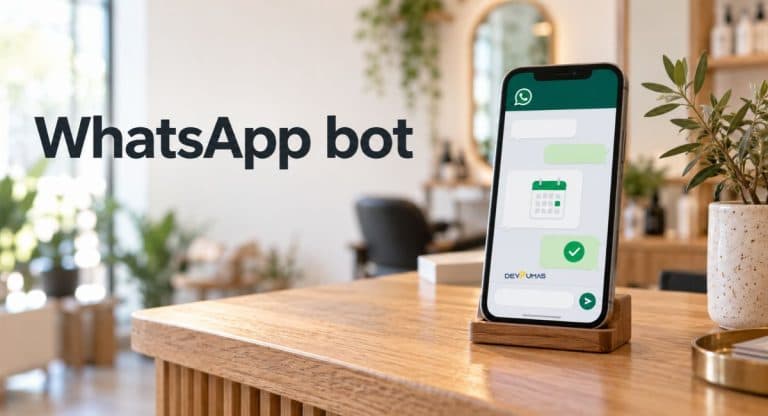
Introduction
You’re busy with a customer when another WhatsApp message arrives: “Do you have any appointments tomorrow?” By the time you reply, they may have booked somewhere else. If keeping up with booking requests feels like a second job, a WhatsApp bot could help take some pressure off.
In this guide, you’ll learn how a WhatsApp bot can answer common questions, help customers find available slots, and make booking easier. We’ll explain how it works, which features matter, and how to get started while keeping your conversations friendly and personal.
What Is a WhatsApp Bot for Appointment Booking?
An appointment chatbot helps customers arrange a visit through messages instead of waiting for a phone call. It can ask which service they need, show available time slots, and collect the details required to book.
However, an automatic greeting isn’t a complete booking system. A message saying “We’ll reply soon” doesn’t check your calendar or reserve an appointment. A connected WhatsApp appointment chatbot needs access to your scheduling system to confirm availability and save bookings.
How a WhatsApp Bot Can Improve Appointment Bookings
When customers ask about availability, they usually want a clear answer without a long exchange. Conversational booking can guide them toward a suitable appointment while you focus on the person in front of you. With an appropriate setup, after-hours booking also lets customers schedule visits when your business is closed.
Once someone books, automated booking confirmations give them a record of the service, date, and time. WhatsApp appointment reminders can help customers remember their visit and give them an easy way to request changes. These features may reduce scheduling friction and missed appointments, although results depend on your customers and workflow.
Essential Features for Automated Appointment Scheduling
Start with accurate availability rather than a long list of impressive features. Your appointment scheduling chatbot should account for service duration, staff schedules, breaks, and any preparation time between visits. Calendar synchronization should keep bookings from different channels aligned. Double-booking prevention also requires the system to check and reserve a slot reliably when the customer confirms.
Next, look for clear confirmations and straightforward appointment cancellation or rescheduling. Customers should know whether their request succeeded instead of guessing from a vague reply. Include a human handoff for questions the automation can’t resolve. A customer asking about an unusual service should have a simple route to someone who can help.
How the WhatsApp Booking Process Works
Imagine a customer messages your barbershop to book a haircut for Friday afternoon. The WhatsApp bot asks which service they want and whether they prefer a particular barber. It then checks the connected calendar and presents suitable options.
After the customer chooses a time, the system checks availability again and saves the appointment before confirming it. The booking confirmation should include the service, date, time, and location, plus any important preparation details. If reminders are enabled, the system sends them according to the customer’s consent and applicable messaging rules. Any later time change should update the booking record and produce a fresh confirmation.
How to Set Up a WhatsApp Bot for Your Business
Before choosing software, write down how your appointments work today. List your services, appointment lengths, opening hours, staff availability, and cancellation rules. Decide which calendar or booking system will hold the confirmed appointments. Also identify common customer inquiries so the booking conversation can answer useful questions without becoming a lengthy questionnaire.
Choose a solution that supports the WhatsApp Business Platform and your required scheduling connection. Prepare the booking flow, collect permission for follow-up messages, and arrange approved templates where needed. Outside the 24-hour customer service window, the platform requires approved message templates; that window resets with each customer message. Before launch, test successful bookings, unavailable slots, cancellations, calendar failures, and requests for staff assistance.
DevPumas: Planning WhatsApp Booking Automation for Your Business
If you need help planning your workflow, you can discuss your requirements with DevPumas. Its WhatsApp automation service lists appointment booking, rescheduling, automated booking flows, and human handoff among its offerings. Start the discussion with the scheduling problem you want to solve.
Bring details of your current booking software, services, staff schedules, and common customer questions. Explain who should handle conversations that need personal attention and what should happen if the calendar connection fails. Ask which integrations fit your existing tools and what ongoing support your setup needs. This gives both sides a practical starting point before deciding on features or implementation.
Common WhatsApp Booking Mistakes to Avoid
One common mistake is asking too many questions before showing useful availability. Request only the information needed to choose and confirm an appointment. Another problem is offering outdated slots or sending confirmation before the booking is saved. Keep your calendar connection reliable and make confirmation messages specific enough for customers to check their details.
Also, don’t assume a booking gives you permission to send unrelated promotions. Obtain appropriate customer consent for follow-up messages and respect requests to stop receiving them. Make cancellations easy to find and offer a clear route to staff support. Test the conversation from the customer’s side, including mistakes and unexpected replies, so people don’t get trapped in a repeating menu. WhatsApp for Business
How to Measure Your Booking Results
Track how many customers start the booking process and how many finish it. Booking completion rate equals completed bookings divided by booking attempts, multiplied by 100. For example, 60 completed appointments from 100 attempts gives you a 60% completion rate. Review where customers leave the conversation to identify unclear questions, unsuitable slots, or technical problems.
Compare missed appointments and staff time spent on scheduling before and after launch. Use similar periods and consider changes in demand, opening hours, or promotions when interpreting results. Customer feedback matters too, especially comments about confusing replies or difficult appointment changes. Adjust one part of the workflow at a time so you can see whether it improves the customer experience.
FAQs
Can customers book appointments through WhatsApp?
Yes. A connected booking system can help customers choose a service, select an available time, and receive confirmation through WhatsApp.
Can automated bookings prevent double-booking?
They can help when the system checks current availability and reserves slots reliably. Calendar synchronization alone doesn’t guarantee conflict-free bookings.
Can customers cancel or reschedule through WhatsApp?
Yes, if your setup supports those options. The system should apply your booking rules and confirm any changes.
Can WhatsApp send appointment reminders automatically?
Yes, with a suitable setup and customer consent. Reminders outside the platform’s 24-hour customer service window require approved message templates.
When should a booking chatbot transfer the conversation to a person?
Offer staff assistance when customers request it, ask unusual questions, or encounter a problem the automated flow can’t resolve.
Conclusion
A WhatsApp bot can make appointment booking easier when it connects clear conversations with accurate availability. Start with a simple workflow that covers bookings, changes, confirmations, and staff support. Then measure completion rates and customer feedback to improve the process. The most useful setup helps customers book confidently while giving your team a reliable schedule.