Blog
Insights on AI agents, automation, and software development from the DevPumas team.

API Integration: Benefits and Best Practices for Business
Introduction It’s frustrating when the tools meant to save you time leave you copying the same information from one app to another. You update a customer’s details in one place, then wonder where else you need to change them. API Integration helps your systems share information, so everyday tasks need less manual work. In this guide, you’ll learn how API integration works, where it can help, and what to consider before connecting your tools. We’ll explain the benefits, common challenges, and practical examples in simple English. Whether you’re connecting two apps or planning a bigger project, you’ll have a clearer idea of where to start. What Is API Integration? An application programming interface, or API, gives software a defined way to request information or perform actions. Integration connects applications through these interfaces to support a particular workflow. For example, your website could send a new enquiry directly to your customer relationship management system, commonly called a CRM. Think of an API as a service counter with a clear menu of available actions. The connection still needs instructions about what to request and what should happen next. Business software integration puts those instructions in place, including which records to share and how to handle incomplete information. How Does API Integration Work? A typical API integration starts when an application sends a request to an API endpoint, an address for a particular resource or operation. The receiving service checks credentials and permissions before processing an allowed request. It then returns a response with information or a status indicating the result. REST APIs commonly use HTTP requests and responses with data formats such as JSON. 1 Data mapping matches fields between applications, such as “customer_email” in one system and “email” in another. A workflow can check for changes on a schedule or receive event notifications through webhooks. For example, a payment notification could trigger an order update after the receiving system verifies the message. The timing depends on the systems and how you configure the connection. 2 Key Benefits of Connecting Your Business Applications The clearest benefit of API integration is reducing repeated data entry across your business tools. Your team can spend less time transferring records and more time serving customers or completing orders. When data mapping and validation work properly, shared information can also become more consistent. That means fewer avoidable mistakes to investigate later. Connected applications can make everyday decisions easier because relevant information reaches the people who need it. A salesperson might see whether an invoice remains unpaid before contacting a customer. However, automation still needs clear rules and reliable source data. Moving incorrect information faster won’t solve the underlying problem. Common Business Use Cases Start by looking for work your team repeats between applications every day. Copying leads, checking payment status, and updating stock records are useful places to investigate. These tasks often have clear triggers and measurable outcomes. Choose a workflow with a specific problem you can describe. For example, “send every approved enquiry to the sales team” gives a project a clearer purpose than “connect everything.” The following examples show where application integration can fit. CRM and Marketing Automation CRM integration can transfer website enquiries into a shared customer database and assign them to the right salesperson. Marketing automation can then trigger a relevant follow-up based on the submitted information. For example, a product demo request could create a sales task with the customer’s preferred contact details. Use matching rules to avoid creating another record for an existing contact. E-commerce, Payments, and Inventory E-commerce integration can coordinate order details, payment updates, and inventory changes across your sales tools. When a payment succeeds, a configured workflow can mark the order as paid and notify fulfilment staff. Payment gateway integration also needs rules for refunds, failed transactions, and repeated notifications. Stock updates should follow your chosen reservation process to reduce the risk of overselling. Accounting and Customer Support Accounting software integration can transfer approved sales information into your invoicing workflow, reducing the need to retype amounts and customer details. Meanwhile, customer support tools can retrieve relevant order history when someone asks for help. An agent could check delivery progress without switching between several applications. Limit the information each role can access to what the job requires. Custom Integrations vs Ready-Made Connectors Ready-made connectors offer predefined links between supported applications, often through a visual setup screen. They can suit straightforward tasks, such as creating a contact after a form submission. An integration platform as a service, or iPaaS, brings connectors and workflow tools together. Check whether its supported actions cover your actual requirements before choosing it. Custom API integration gives you more control over unusual rules, complex data mapping, and internal systems. However, it also requires development, testing, and someone responsible for maintenance. Custom API development may be necessary if your own application lacks a suitable interface. Compare both approaches against the same workflow, expected volume, and ongoing support needs. Best Practices for Secure and Reliable Integrations Secure API integration starts with giving each connection only the access permissions it needs. Use the provider’s supported authentication method and apply OAuth 2.0 authorization where appropriate. Keep secret API keys in protected server-side storage and use HTTPS to encrypt information in transit. Document who owns credentials and how your team will replace or revoke them when necessary. 3 Reliability needs planning too: validate incoming data, test failures, and configure API monitoring with useful alerts. Retry logic should retry eligible temporary failures with delays and limits, following the provider’s guidance. Where supported, idempotency keys let a service recognise repeated requests and help prevent duplicate actions. Test duplicate webhook events separately because safe request retries alone don’t prevent repeated event processing. 2 Common Integration Challenges and How to Solve Them Different applications rarely organise every field in exactly the same way. One system might require separate name fields while another stores a single full name. Document those differences and agree on data validation rules before connecting live records. Legacy systems may also

Custom Web Application Development: Benefits and Costs
Introduction It’s frustrating when the software you rely on makes simple tasks feel harder than they should. You might be switching between tools, entering the same details twice, or paying for features you never use. Custom Web Application Development offers a way to build something around how your business actually works. This guide explains what custom web applications are, which problems they can solve, and what goes into building one. You’ll learn about the benefits, development process, and cost factors so you can decide whether a custom solution makes sense f What Is Custom Web Application Development? A custom web application is software designed for particular users, tasks, and business requirements. People access it through a browser to complete actions, such as uploading documents or managing orders. As AWS explains, web applications support interactive functions without requiring users to install a separate desktop program. The custom element comes from designing the workflows around your needs. For example, a supplier might need customer portals that display different prices for different buyers. A service business might need booking systems with unusual scheduling rules. Bespoke web application development can accommodate those requirements within a purpose-built interface. Custom Web Applications vs. Ready-Made Software Ready-made software gives you existing features that you can configure and start using relatively quickly. It can work well when your needs follow common patterns, such as simple appointment scheduling or standard invoicing. However, you’ll need to check whether its permissions, integrations, and pricing still suit your business as usage grows. Custom web application development becomes worth considering when important workflows require repeated workarounds. You can shape the features more closely to your operations, although you’ll take on development and maintenance responsibilities. When comparing custom software vs off-the-shelf software, include staff time, subscriptions, support, and future changes. The useful comparison is total cost of ownership across the period you expect to use the system. Key Benefits of Custom Web Applications The strongest custom web application benefits come from solving a clearly defined operational problem. Perhaps employees retype order details because two systems don’t communicate. Business process automation could remove that repeated step and help reduce entry mistakes. Start by identifying where delays happen before deciding which features deserve investment. Custom web application development also lets you prioritize the people who use your system every day. You can organize screens around their tasks and remove steps that serve no purpose. Measure the results through completion times, support requests, or corrected errors. Those changes provide a firmer basis for judging return on investment than a long feature list. Features Built Around Your Business Imagine your team needs two managers to approve purchases above a certain amount. A tailored application can apply that rule and show staff where each request stands. It can also record decisions for later review. The value comes from supporting a real business requirement without making employees track exceptions in separate spreadsheets. Flexibility to Support Business Growth You may begin with one location and later add branches, account types, or larger datasets. Scalable web applications need an architecture that anticipates realistic growth, along with testing to expose bottlenecks. Cloud hosting, database management, and performance optimization all play a part. Expansion still requires planning and investment, even when the original system provides a solid foundation. Integration With Your Existing Tools An application can exchange information with your existing tools through API integration or other supported connections. For example, CRM integration could pass new customer details into your sales workflow automatically. Payment gateways can handle checkout while your application records order status. Check access permissions, usage limits, and failure handling before assuming third-party integrations will work smoothly. Greater Control Over User Experience and Security You can tailor the user interface (UI), improve user experience (UX), and use responsive design for different screen sizes. You can also define user authentication and role-based access control around staff responsibilities. However, custom software still needs careful security engineering.. How Much Does a Custom Web Application Cost? Your custom web application development cost depends on project scope, technical complexity, and the team’s rates. A useful estimate separates discovery, design, development, testing, and launch work. For a hypothetical example, 400 hours at US$50 per hour equals US$20,000 before any excluded costs. These figures demonstrate the calculation only; they aren’t a market benchmark or a DevPumas quote. A small internal tool and an enterprise platform need different estimates because their users, integrations, and reliability requirements differ. Ask providers to explain what their web application development pricing includes, particularly data migration, revisions, and quality assurance. Also budget for cloud hosting, third-party services, backups, and ongoing maintenance. Your web application maintenance costs will depend on usage, support arrangements, and how often the product changes. How Does the Development Process Work? Custom web application development starts with understanding the problem and agreeing on what success should look like. Discovery turns business requirements into a project scope, followed by wireframes and a prototype that users can review. Next, the team defines the first release and its acceptance criteria. These criteria describe what each feature must do before you consider it complete. Frontend development creates the interface while backend development handles application logic and data operations. Quality assurance testing checks workflows, permissions, error handling, and performance before deployment. Your web application development timeline also depends on feedback speed, integration access, and changing requirements. After launch, monitoring and user feedback help the team prioritize fixes and useful improvements. How to Plan Your Budget and Avoid Unnecessary Costs Start by separating essential features from ideas that can wait. Minimum viable product development focuses the first release on a useful outcome you can test with real users. For a customer portal, that might mean secure login and document sharing before advanced reporting. Define the expected behavior of each feature so estimates don’t depend on different interpretations. Your development budget should cover delivery, recurring expenses, and a contingency for identified uncertainties. Ask for written assumptions and agree on how the team will price scope changes. Review working

Web Application Development Company: How to Choose One
Introduction You have an idea for a web app, but choosing who should build it can feel overwhelming. Every team promises great results, yet you’re left wondering who will understand your goals and work within your budget. Finding the right web application development company starts with knowing what to look for beyond a convincing sales pitch. This guide explains what these companies do, which services your project may need, and how to compare your options. You’ll learn what questions to ask, what affects development costs, and which warning signs deserve your attention. With a clearer picture, you can choose a team you feel confident working with. What Does a Web Application Development Company Do? A web app lets people complete tasks through a browser, such as booking appointments or managing customer accounts. An informational website mainly presents content, although many websites also include interactive application features. Web application developers build the interfaces, server logic, and data connections that make those tasks work. For example, a booking app must show available times and prevent two customers from reserving the same slot. Web app development services can cover discovery, UI/UX design, frontend and backend development, testing, and launch. Custom web application development shapes these elements around your particular workflows and user needs. Some agencies also handle maintenance, hosting arrangements, and later improvements. Ask which services a proposal includes so you understand who takes responsibility at each stage. Define Your Project Requirements Before Comparing Companies Before contacting a web application development company, write down the problem you want to solve. Identify your target users and describe what they should accomplish through the app. For a customer portal, that might mean checking order progress without calling your team. Clear business goals give developers something concrete to work toward and help you judge whether their suggestions actually fit. Next, separate essential features from ideas that can wait until a later release. A minimum viable product (MVP) should deliver a useful core experience that lets you test your assumptions with real users. Include your preferred launch window, budget boundaries, existing systems, and required integrations in the brief. This preparation makes business web application development discussions more focused and competing proposals easier to compare. Review Relevant Experience and Previous Projects A polished portfolio can catch your attention without revealing how well an application works. Ask a web application development company to demonstrate projects with features or challenges similar to yours. For SaaS application development, look for experience with subscriptions, account management, and keeping customer data separate. Enterprise web application development may require evidence of complex permissions, internal workflows, and connections to older systems. Ask what the agency actually designed and built within each project it presents. A team that created a landing page may not have developed the application behind it. Request a walkthrough of a relevant user journey and discuss the difficulties the developers encountered. If client references are available, ask about communication, handling changes, and the quality of support after delivery. Evaluate Technical Skills, Security, and Scalability You don't need to know every programming language to evaluate a proposed technology stack. Ask your web application development company why its chosen tools suit your requirements, budget, and future maintenance needs. Have the team explain its approach to API integration, database management, and frontend and backend responsibilities. If it offers full-stack web development, clarify who will oversee the complete system and review technical decisions. Request concrete explanations of user authentication, access controls, and how the team will address data security. For example, ask how it will prevent one customer from viewing another customer's private records. Discuss expected user numbers and how performance testing will check the app under realistic demand. Scalable architecture should address plausible growth without adding costly complexity your first release doesn't need. Understand the Development Process and Communication Ask the team to explain how your project moves from discovery to design, development, testing, and deployment. Each stage should produce something you can review, such as a requirements brief, prototype, or working feature. During design reviews, check whether users can complete key tasks on both desktop and mobile screens. Responsive design matters most when the actual experience works well across those devices. Agile development should come with regular opportunities to review progress and adjust priorities. Agree on a main contact, update frequency, and how project milestones will be approved. Ask how quality assurance fits into development and how the team records bugs, feedback, and requested changes. A clear web app development process helps you catch misunderstandings before they spread into several weeks of work. Compare Pricing, Timelines, and Ongoing Costs Comparing quotes only by their final totals can hide important differences in scope. Ask each web application development company to separate discovery, design, development, testing, and launch work in its proposal. Web application development cost depends on feature complexity, integrations, data migration, and other project requirements. A lower estimate may exclude work another team has included, so compare deliverables before deciding which proposal offers better value. Ask what assumptions support the timeline and which decisions or materials the team needs from you. Delayed feedback, missing content, or unavailable integration access can affect delivery even when developers are ready. Review recurring expenses for deployment and hosting, external services, monitoring, and ongoing maintenance. Also clarify how the team prices additional requests so a small feature change doesn't create an unexpected bill. Check Code Ownership, Handover, and Post-Launch Support Clarify source code ownership and access arrangements before development begins. Ask the team to document what it will deliver, including repositories, design files, database information, and technical documentation. Confirm who controls the hosting account, domain settings, and services the application depends on. Have the proposal distinguish custom project work from third-party components and explain any licensing restrictions that could affect future changes. Plan the handover while the project is active instead of leaving it until launch day. Your team should know how to manage routine tasks and where to find deployment instructions. Agree on post-launch support coverage, response

Instagram Bot DMs: Benefits, Features, and Best Uses
Introduction You open your Instagram inbox for a quick check, and suddenly you’re answering the same questions about prices, orders, and availability again. You want to reply to everyone, but keeping up takes time away from running your business. If you’ve been searching for instagram bot dms, you’re probably wondering how to make replies easier without making customers feel ignored. This guide explains how automated Instagram messages work, where they can help, and which conversations still need a personal reply. You’ll learn practical ways to handle common questions and keep your messages sounding natural. The goal is to help you spend less time repeating yourself while giving customers the attention they need. What Are Instagram Bot DMs? These are direct messages that software sends through a configured Instagram messaging workflow. An Instagram chatbot can respond to a recognised question, share information, or guide someone towards their next step. The business sets the instructions and decides which tasks the bot should handle. A rule-based chatbot follows predefined paths, such as replying to “prices” with a service menu. An AI chatbot for Instagram may use natural language processing to interpret different ways of asking a question. However, its accuracy still depends on the information, instructions, and safeguards behind it. How Does Instagram DM Automation Work? A typical workflow starts with an incoming message or another supported interaction. The software checks the trigger and selects a response based on your conversation flow. For example, instagram bot dms could direct someone asking about delivery to your shipping information. The connection between your account and the software makes this exchange possible. Meta provides Instagram API options that include messaging functionality through its Send API. Before choosing a tool, check its supported account types, messaging permissions, and connection requirements against Meta’s Instagram API documentation. Key Benefits of Instagram Bot DMs Instagram DM automation can reduce the time you spend typing answers to frequently asked questions. Customers can receive a useful first response while your team handles other work. For a small business, this can make a busy inbox easier to manage without adding another repetitive task. Consistent answers are another benefit, especially when several people handle customer enquiries. A maintained reply flow can give everyone the same opening hours, service details, or booking instructions. Faster replies may help conversations progress but they don’t guarantee purchases or replace good service. Essential Features to Look for in an Instagram DM Bot Start with features that make replies accurate and easy to maintain. Look for editable answers, clear conversation controls, and a way to review what the bot sends. If you need AI-assisted responses, test how the system handles unclear questions and information it doesn’t have. Human handoff deserves equal attention because some customers need a person straight away. Check whether staff can take over without the bot continuing to interrupt. Depending on your goals, useful extras may include CRM integration, booking links, conversation history, and reports showing where people stop responding. Best Uses of Instagram DM Automation The strongest starting point is a task that appears repeatedly in your inbox. Review recent enquiries and identify questions with clear, dependable answers. Used this way, instagram bot dms can support an existing customer need instead of adding messages people never requested. Choose one outcome for each workflow, such as answering a question or helping someone find the right service. Avoid asking every visitor to complete the same long sequence. Someone checking your opening hours shouldn’t need to share their budget, email address, and business goals first. Answering Product and Service Questions Imagine a clothing shop receiving daily questions about its size guide. An Instagram auto-reply could share the guide and ask whether the customer needs further help. Keep changing details, such as stock availability, connected to a reliable source or let staff confirm them. Qualifying Leads and Handling Booking Enquiries A service business could ask which service someone needs and their preferred appointment date. Those answers help staff understand the enquiry before taking over. Sharing a booking link is straightforward, while confirming live availability or creating appointments requires a working scheduling integration. Responding to Campaign Interest For a campaign offering a downloadable checklist, the response should help people get that specific resource. If your chosen setup supports Instagram comment-to-DM automation, confirm its current trigger and follow-up requirements before launching. Keep the first message relevant and avoid treating one interaction as permission for endless promotions. How to Set Up Instagram Bot DMs First, choose a narrow goal, such as answering service enquiries or directing customers to booking. Check whether your tool requires a professional Instagram account and follow its official connection process. Review the requested permissions and confirm that your intended workflow fits the platform’s current requirements. Next, write a short conversation flow using questions customers actually ask. Add a fallback response and a clear route to your team when the bot cannot help. Test different wording, broken links, unexpected replies, and staff takeover before launch, then review early conversations for problems. Best Practices for Helpful, Natural Conversations Write automated DM responses as you would write a helpful message to a customer. Answer their question early and ask only one follow-up question at a time. A reply such as “Which service are you interested in?” feels clearer than a long menu covering your entire business. Be open about automation and make personalized responses relevant to what the customer has shared. Give people a simple way to request human help, especially when they repeat a question or express frustration. Protect customer privacy by collecting only necessary details and explaining why you need them. Common Mistakes and Limitations One common mistake is triggering an answer whenever a single word appears, regardless of its meaning. Someone saying “I don’t want to book” shouldn’t receive another booking prompt. Review how instagram bot dms handle negative wording, multiple questions, and replies that don’t match the expected path. Another problem is leaving outdated prices, expired offers, or unavailable services inside automated messages. Assign someone to maintain

Message Bot for Business: Features and Benefits Guide
Introduction You’ve just answered a customer’s question when another message arrives asking the same thing. It’s frustrating when replying to your inbox leaves little time for the work you planned to do. If you’ve been wondering whether a message bot could take some of that pressure off, you’re in the right place. This guide explains what a message bot is, how it works, and where it can help with everyday conversations. You’ll learn which tasks it can handle, when a person should step in, and what to consider before choosing one for your business. What Is a Message Bot? A message bot is software that automatically responds to messages or performs tasks within a messaging channel. Businesses can use it to answer common questions, collect enquiry details, or guide customers toward their next step. Depending on its setup, it might follow predefined rules or use AI to interpret questions. The term overlaps with “chatbot,” especially when the tool handles back-and-forth conversations. Some messaging tools focus on simple notifications while others support interactive customer service. What matters most is whether the tool can handle the conversations your customers actually start. How Does a Message Bot Work? The process begins when someone sends a message or selects an option inside a chat. The software checks that input against its rules or uses an AI model to interpret the request. It then returns an answer, asks a follow-up question, or triggers a connected action. For example, a customer might ask whether your shop opens on Sunday. The bot could retrieve your opening hours from an approved knowledge base and reply. If it can’t answer confidently, a fallback response should explain the next step or offer human handover. Rule-Based Bots A rule-based chatbot follows predefined conversation flows, often through buttons, menus, or specific keywords. A visitor might choose “Delivery,” then “Delivery times,” to receive a prepared answer. This approach suits predictable questions and gives you close control over the wording. However, unexpected requests may fall outside the available options. AI-Powered Bots An AI-powered chatbot uses language models or natural language processing to interpret differently worded requests. For example, “Where’s my parcel?” and “Can I track my order?” may express the same user intent. With suitable integrations, the tool can retrieve relevant information and respond conversationally. Its answers still need testing because fluent wording doesn’t guarantee accuracy. Key Features to Look for in a Business Message Bot Start with features that help customers complete a task without repeating themselves. Useful options include an editable knowledge base, clear conversation flows, and access to relevant conversation history. Human handover should transfer the customer’s question and available context to your team. Otherwise, the customer may have to explain everything again. Also, check whether the tool connects to your existing systems through CRM integration or booking software. Multilingual support may matter if your customers use different languages, although each supported language needs testing. Look for reporting that highlights unanswered questions and failed actions. Data privacy controls should help you manage access to customer information and stored conversations. Benefits of Using a Message Bot for Business Automated messaging can reduce the time your team spends answering repetitive customer enquiries. Customers can receive routine information outside your opening hours when the system is available. That’s useful when someone wants to check delivery coverage or understand a service before getting in touch. Your staff then have more time for conversations requiring judgement. The benefits depend on answer quality and how well the automation fits your processes. A fast response won’t improve customer satisfaction if it sends someone in circles. Track response time alongside resolution rate, customer feedback, and requests for further help. This gives you a clearer picture than simply counting how many messages the tool sends. Practical Business Use Cases An online shop could use a website chatbot to explain delivery options or direct shoppers to relevant product information. With an authenticated order integration, it could also retrieve tracking details. A service business might use a lead generation chatbot to collect project requirements before a salesperson responds. Asking a few relevant questions supports lead qualification without making the conversation feel like a lengthy form. Appointment requests offer another practical starting point for messaging automation. A salon could use an appointment booking bot to collect preferences or check availability through a connected calendar. A support team could gather a description of an issue before passing it to the right person. In each case, clearly distinguish between collecting a request and confirming that an action has succeeded. How to Choose the Right Message Bot Begin with your customers’ most common questions and the channels they already use. Review recent conversations to identify repetitive tasks, confusing moments, and requests that always need a person. Then separate essential features from extras you may never use. A small business answering basic enquiries may need a simpler setup than a company handling account-specific support. Test your shortlist with realistic messages instead of relying entirely on polished demonstrations. Include spelling mistakes, vague questions, and requests outside the tool’s intended scope. Check how easily your team can update answers and take over a conversation. Before committing, confirm integration compatibility, usage limits, and who will maintain the system after launch. How to Set Up a Message Bot for Your Business Choose one clear task for your first version, such as answering service questions or collecting quote requests. Prepare accurate source material covering the information customers need for that task. Next, connect your chosen channel and design a short conversation flow with an obvious route to human support. Keep the questions focused so visitors don’t have to provide unnecessary details. Test the complete journey before making it widely available, including failed searches and unavailable staff. If you’re using a WhatsApp chatbot, confirm the provider’s setup requirements for the WhatsApp Business API. Run a limited launch and review conversation logs for unclear answers or abandoned interactions. Assign someone to update the knowledge base whenever your services, policies, or opening hours change.
Best Wireframing Tools for UI/UX Designers in 2026
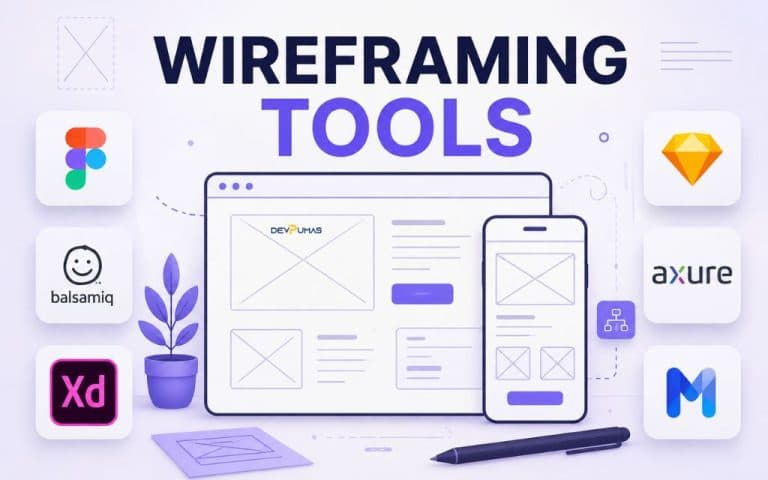
Introduction Choosing the right design tool can be frustrating when you just want to turn an idea into a clear, workable layout. With so many options available, figuring out which Best Wireframing Tools are actually worth using can take more time than expected. In this guide, we’ll explore the Best Wireframing Tools for creating website and app layouts, comparing their features, ease of use, and practical benefits. Whether you’re a beginner, designer, or developer, you’ll find helpful insights to choose a tool that fits your workflow. What Are Wireframing Tools? Wireframing tools help designers create a visual blueprint of a website, mobile application, or digital product before development begins. Instead of focusing on colors, images, and polished graphics, a wireframe concentrates on structure, navigation, content placement, buttons, and the overall user experience. Think of it as a floor plan for a house: you decide where everything goes before worrying about the decoration. Designers can create low fidelity wireframes for early brainstorming or high fidelity wireframes when they need to show more detail. These tools also support different stages of the UX workflow, from organizing screens to planning navigation and discussing ideas with clients. Depending on the platform, you may also find features for user interface design, collaboration, prototyping, and user journey mapping. Benefits of Using Wireframing Tools One of the biggest benefits of wireframing is that it lets you test an idea before investing heavily in development. A simple layout can reveal confusing navigation, missing content, or an awkward user flow much earlier than a finished website can. This makes UI wireframe tools useful for both small projects and large digital products. Wireframes also improve communication between designers, developers, clients, and other stakeholders. Everyone can look at the same structure and discuss what needs to change before visual design or coding begins. Good wireframe design tools can therefore reduce misunderstandings, speed up feedback, and make the app development process more organized. Top Wireframing Tools in 2026 There isn't one perfect tool for every designer or project. The right choice depends on your experience, project requirements, collaboration needs, and the level of detail you want to create. Here are seven popular options worth considering when comparing the Best Wireframing Tools for modern UX and product design. Figma Figma has become a popular choice for designers who want wireframing, interface design, collaboration, and prototyping in one environment. Its browser-based workflow makes it convenient for teams working across different locations, while its shared files allow multiple people to contribute to a project. Figma works well for everything from simple product wireframes to detailed interactive prototypes. Designers can begin with basic layouts and gradually develop them into polished interfaces, making it useful throughout a broader UX workflow. Balsamiq Balsamiq focuses heavily on quick, low fidelity wireframes. Its sketch-like visual style encourages designers to think about structure and usability instead of getting distracted by colors, typography, or visual polish. This approach is especially useful during brainstorming and early planning. If you want to test different layouts quickly or explain an idea to a client without making it look finished, Balsamiq can be a practical choice. Adobe XD Adobe XD was designed around user experience, interface design, wireframing, and prototyping. It provides a familiar environment for designers who already work with other Adobe creative applications and want to move from early concepts toward more detailed screen designs. Its prototyping capabilities can help teams demonstrate how different screens connect. However, when evaluating UX design software in 2026, it's worth considering the current availability, support, and ecosystem of the tools you plan to use. Sketch Sketch has long been associated with interface and product design, particularly among designers working within Apple-focused environments. It offers features for creating layouts, reusable components, and detailed interface designs. For teams building consistent digital products, reusable elements can help maintain a coherent UI design system. Its role is strongest when designers need a focused environment for creating and managing interface concepts. Axure RP Axure RP is aimed at designers who need more advanced interactions and detailed prototypes. Instead of stopping at static screens, designers can build experiences that demonstrate logic, dynamic behavior, conditional interactions, and complex user flows. That makes Axure useful for projects where stakeholders need to understand how an interface behaves rather than simply seeing what it looks like. It can be particularly valuable for enterprise applications, complicated workflows, and products with many interaction states. MockFlow MockFlow provides a straightforward environment for creating wireframes and planning digital interfaces. Its approach can work well for teams that want to move quickly from an initial concept to a visual representation of a website or application. It can also be useful for brainstorming and collaboration. For beginners, the relatively simple workflow makes it easier to concentrate on page structure, content hierarchy, and navigation without becoming overwhelmed by advanced design features. Lucidchart Lucidchart is best known as a diagramming platform, but its visual workspace can also support wireframes, flowcharts, and planning activities. This makes it useful when your project requires more than screen layouts. For example, a team can use diagrams to visualize a user journey before connecting those ideas to interface screens. This combination can make Lucidchart useful among website planning tools, especially when information architecture and process mapping are important. How to Choose the Right Wireframing Tool Start by considering what you're actually trying to accomplish. A beginner planning a simple landing page doesn't necessarily need an advanced platform with complex interactions, while a large product team may need collaboration, reusable components, prototyping, and detailed user flows. Your experience level, project size, platform, and preferred workflow should all influence the decision. It's also worth looking beyond the number of features. Check whether the tool works well with your team, supports the type of mobile app wireframing or website planning you need, and fits your budget. If developers and designers already use a particular ecosystem, integrations and file compatibility may matter just as much as the wireframing features themselves. Wireframing vs Prototyping Wireframing